
About Collaboration
In the Advanced eDiscovery, the customer can collect the Microsoft Teams data. The customer can see the Collaboration tab while creating a search, if -
-
The Microsoft Teams service is enabled
-
The Microsoft Teams collector is configured
Besides emails, the customer can see and review the Microsoft Teams specific communication in the archives.
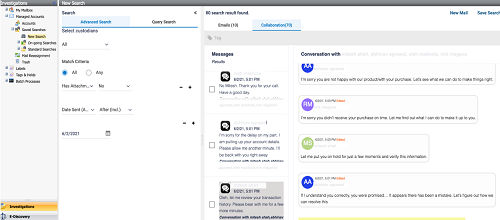
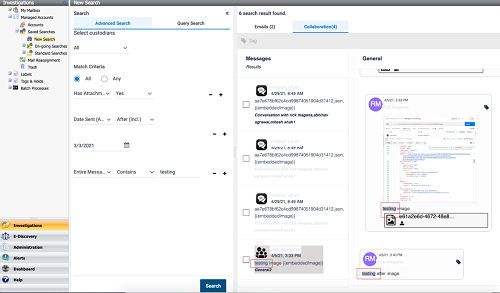
After executing a search, the Collaboration tab displays Chats or Channel conversations that matches with the Search criteria applied in the left pane. As the icons of the Chats and the Channel conversations are different, you can easily distinguish between the Chat and Channel messages.
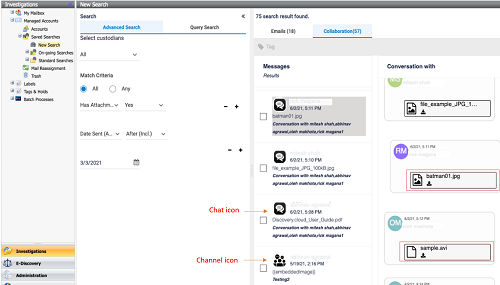
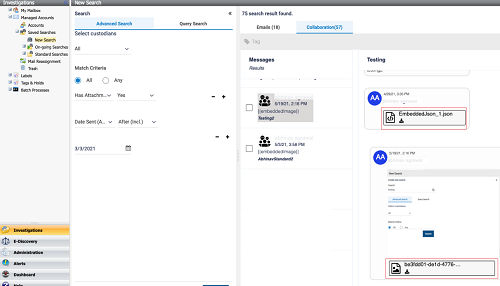
You can download the images and the attachments used in the Chat and Channel conversations.
To get a full context of the conversation, you can view the events, reactions, and link previews in the messages. To easily distinguish among the participants in the conversation, the participant icons are highlighted in different color.
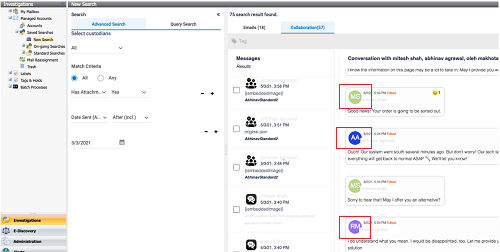
When you search a term or a text in a conversation, it is highlighted in a different color for easy identification.
Related information