
Downloading message attachments
While working with archived messages, you may find an attachment you want to download. Using Personal.cloud, you can download message attachments to your computer.
To download a message attachment
-
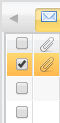
In the message list, select an archived message with an attachment.Note: APaperclipicon next to a message in the message list denotes a message with an attachment.
-
In the message window, click the Paperclip icon next to the message subject line to show attachments.Note: Attachments are shown under the message recipient list.
-
Click on an attachment to download it to your computer.
-
In the File Download window, click Save to save the attachment to your Downloads folder.Note: You can clickOpenin theFile Downloadwindow if you want to open the attachment before you save it to your computer.
More Information
Related information