
Resetting a forgotten password
If you forget your password, you can use the Insight Personal Archive mobile app to reset it. The app sends a reset link to your Arctera Insight Archiving email address.
To reset your forgotten password
-
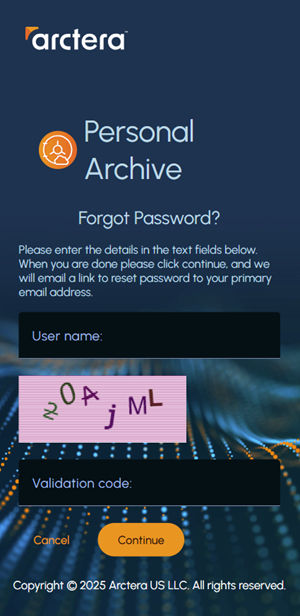
On the authentication screen, click the Forgot password link. The validation screen appears.
-
In the User name field, provide your Arctera Insight Archiving email address.
-
In the Validation Codefield, enter the correct code from the image, without spaces.Note : Letters in your validation code are not case-sensitive. You cannot sign in if your archive fails to authorize your device or location. If required, contact your system administrator for assistance.
-
Click Continue.Note: After successful validation, you receive an email containing a link to set a new password.
Related information