
Composing a new messages
After your administrator assigns the required permissions, you can compose and send new messages using Mobile Web Access.
To compose a new message
-
On your mobile device, open the Mobile Web Access application.
-
Tap the Messages icon from the bottom menu bar. A list of messages is displayed.
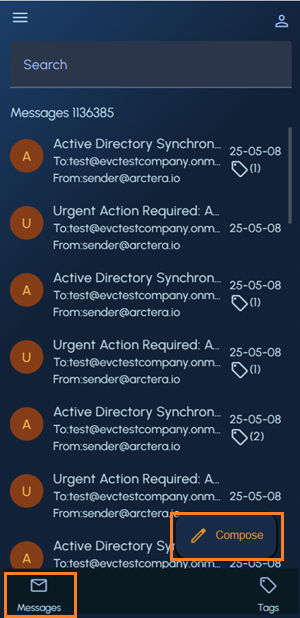
-
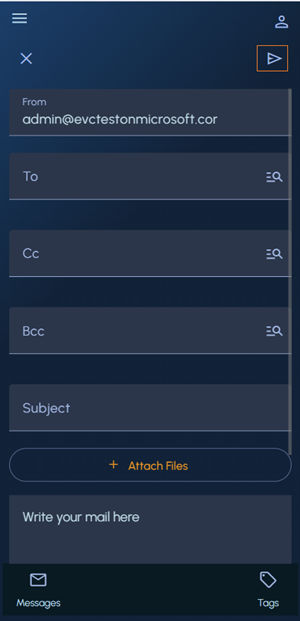
Tap Compose and specify the following details:
-
To/Cc/Bcc: Enter one or more recipient email addresses manually, or tap theContacts icon to search for recipients.
-
Subject : Enter a subject line.
-
Attach Files : Click to browse and select files to attach to the message, if required.
-
Message : Type your message content.
-
-
Tap the Send icon in the top-right corner of the screen to send the message to the specified recipients.
Related information