
Searching for messages
You can search archived messages in the following methods:
-
Search allows you to find specific messages using keywords that appear in the subject line or message body.
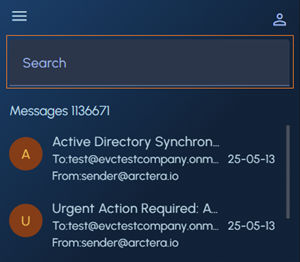 Note: The matched keywords are highlighted in the subject and message body.
 -
Advanced Search allows you to build more customized queries.
To use advanced searching, tap the User Profile icon and tap Advanced Search.
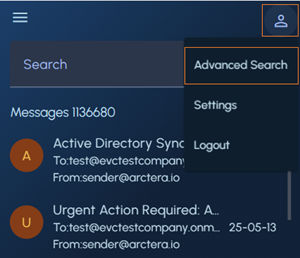
Custom a query using the following fields, and click Search.
-
Search and Subject fields: Enter keywords or subject lines to quickly filter messages containing matching text.
-
Mail Direction drop-down: Select the direction of mail flow, such as All Mails, Incoming, or Outgoing, to narrow your search scope.
-
From, To, and Date Range fields: Define specific sender or recipient email addresses and to filter messages within a selected date range.
-
Has Attachment checkbox and Attachment Type field: Select the checkbox to include only messages that have file attachments, and specify the attachment type if the checkbox is selected.
For more details, See User interface components.
Related information