
Viewing the Folder Sync mailbox report
The ArchiveTools Folder Sync mailbox report shows the status of each mailbox that Folder Sync has processed. The report includes a list of the folders that have been synchronized for each mailbox. You can click a folder in the list to view a child report, the ArchiveTools Folder Sync folder report. The folder report shows details of the emails that Folder Sync has processed for the selected folder.
To view the Folder Sync mailbox report
-
In the left pane of the ArchiveTools Management Console, expand the Archive Accelerator node.
-
Expand the Reports node. Then expand the FolderSync node, and select FolderSync Mailbox Report
The mailbox report appears in the main pane.
Note: If you have run the report before, the most recently generated report is shown. To refresh the report, click the refresh icon in the report's menu bar.
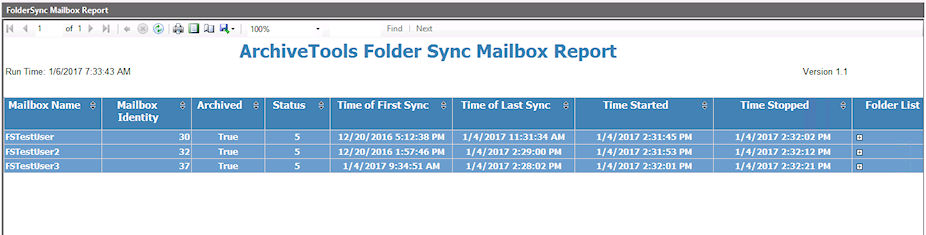
You can use the report's menu bar options to page through the report, print or export the report, and to search for a text string.
To sort the report on a column, click the sort icon in the column heading. To reverse the sort order, click the icon again.
More Information
Related information