
Logging on to Advanced eDiscovery
When your company signs up for Advanced eDiscovery, you are provided with a user name and password. With these credentials, you can log on to Advanced eDiscovery and start using the features that you have the permissions to access.
Note: Advanced eDiscovery users should exercise caution when accessing their accounts from public computers, to maintain the confidentiality of company emails. This note applies especially for administrators and reviewers. Note: If your company signed up for Advanced eDiscovery and you have not received your credentials, contact your administrator.
To log on to Advanced eDiscovery
-
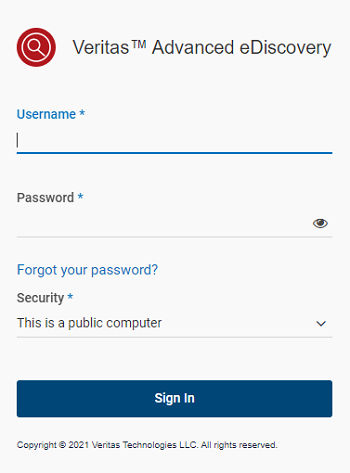
Navigate to your Advanced eDiscovery URL.
-
Select a Security option.
Refer to the following table for more information:
| This is a public or shared computer | Prompts you for your user name and password each time you access the logon screen, and logs you out after 20 minutes of inactivity. |
|---|---|
| Default option selected | |
| This is a private computer | Your credentials are stored in your browser's local profile cache for one (1) year, letting you bypass the logon screen after your initial successful logon. |
| You can clear this setting by logging out of Advanced eDiscovery. |
-
Enter your user name and password.
If you have problems accessing your account, check with your administrator first. If you continue to have difficulty logging on, contact your Technical Support Staff through your administrator.
Related information