
Sending notifications to the mail reassignment batch initiator
To confirm the batch reassignment status to the user who has initiated the mail reassignment batch, the application sends the email notifications. Email notifications is sent for the Completed mail reassignment batches.
To view a notification
-
On the Investigations tab, select My Mailbox > Mailbox.
-
Click Inbox to view your emails regarding mail reassignment statuses.Note: You can use theAdvanced Searchoption to search for the emails regarding mail reassignment statuses.
-
Select the email whose status is Completed.
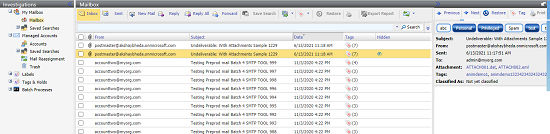
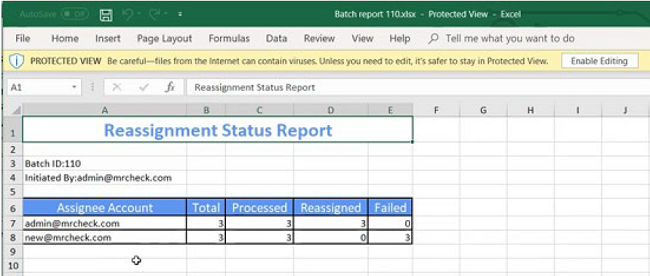
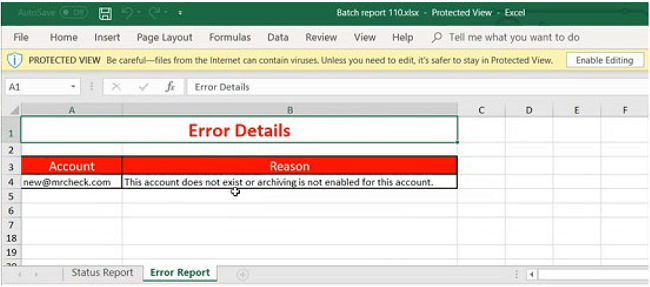
Each email includes Batch Report as an attachment that includes the Status Report and the Error Report. The following image shows the sample reassignment status report worksheet.
Related information