
Finding your way around
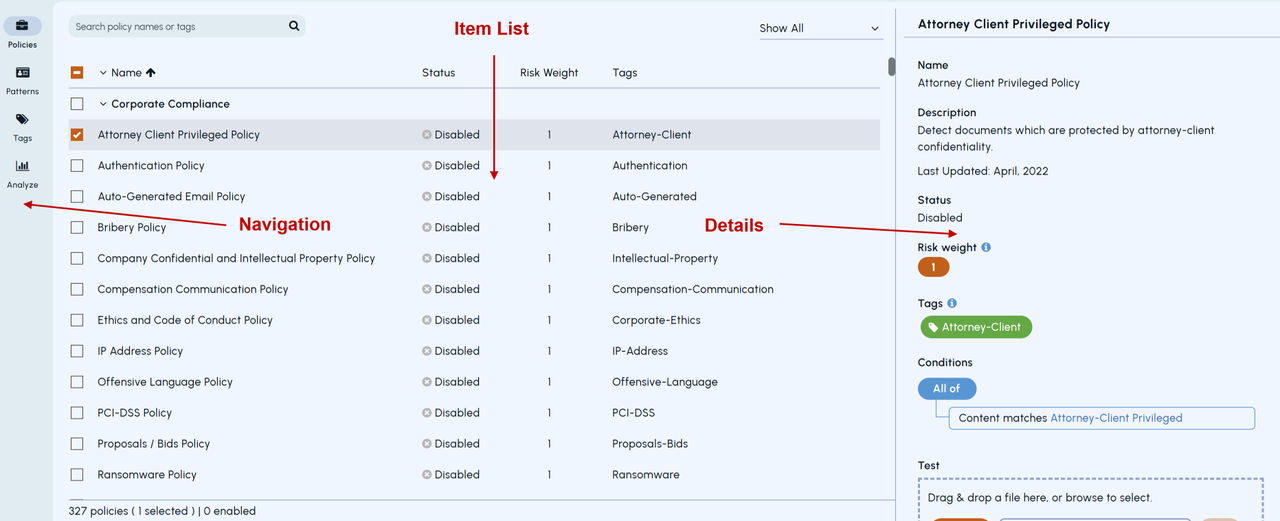
The Arctera Insight Classification window is divided into three main areas: the navigation bar, item list, and details pane.
 |
|---|
Item list
The item list provides a list of the available items, together with basic information about them. Click an item to view more information in the details pane.
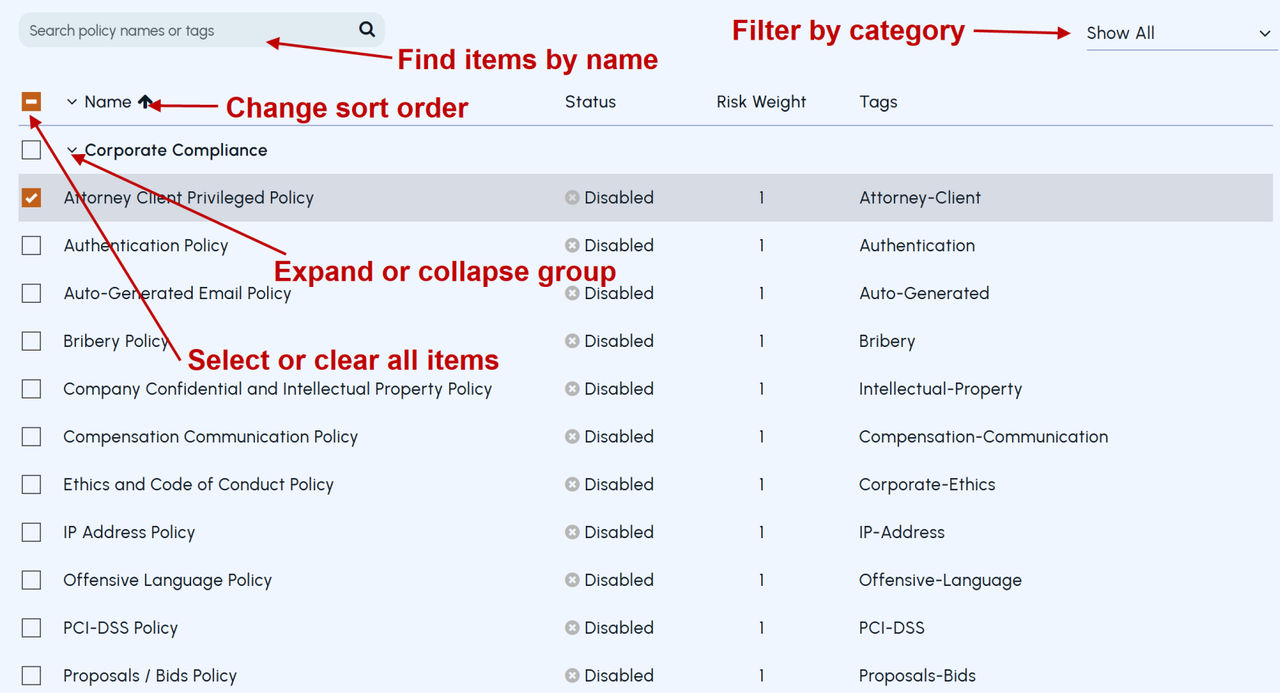
The controls at the top of each list let you search for items by name, filter the items according to various criteria, expand and collapse the list, and change the sort order.
 |
|---|
Details pane
The details pane provides extensive information on the selected item. You also use this pane to edit an item or create a new one to add to the list.
Note: Arctera Insight Classification has option to opt for light or dark theme. For ease og understanding, we will be referring to the light theme in documentation.
Related information