
Creating a customized copy of transparent policies
To create a customized copy of transparent policy
-
In the left navigation pane, click Policies.
-
In the top-right drop-down menu, select Show all transparentto view all the policies available under theTransparent category.
-
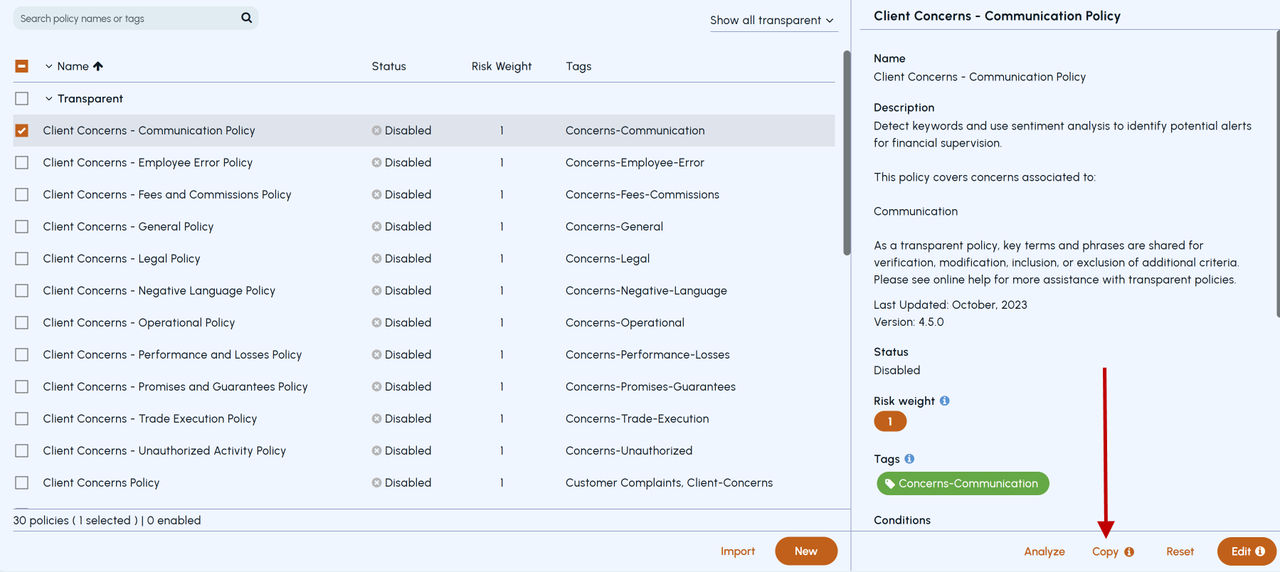
Search for and select a transparent policy that you want to copy, and click Copy.
-
In the New Policy dialog, set the fields as follows:
Name Displays the name as copy of the policy you have selected. If required , you can change the name. Status Displays the status same as the status of the policy you have selected. If required , you can change the status. Description Displays the description same as the description of the policy you have selected. If required , you can change the description. If you do not change the description, the last updated field do not show correctly. Risk weight This is a mandatory field. Displays the same risk weight for the copied policy. The by default risk weight value of the language and subscriptions policies is 1. After you create a copy of a policy, the risk weight of the original policy gets propagated. You can change the risk weight value in the range of 0 to 10 if required. Tags Displays the tags same as the tags in the policy you have selected. If required , you can add or remove the tags. Add the tags to flag the results. Conditions Displays the conditions same as the conditions of the policy you have selected. If required , you can add or remove the tags. 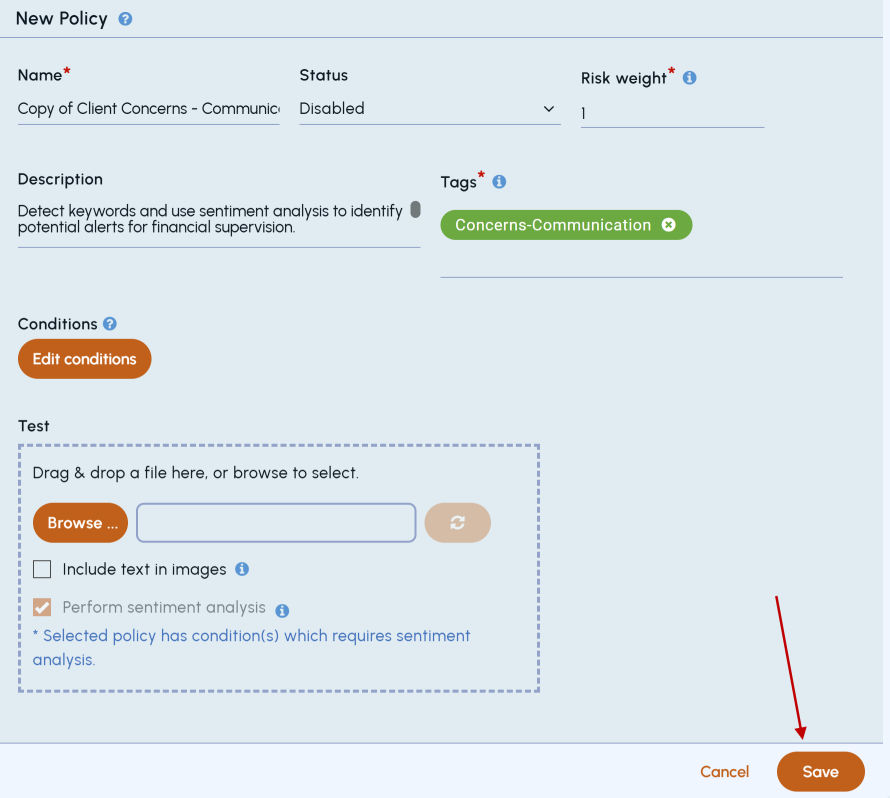
-
Click Save.
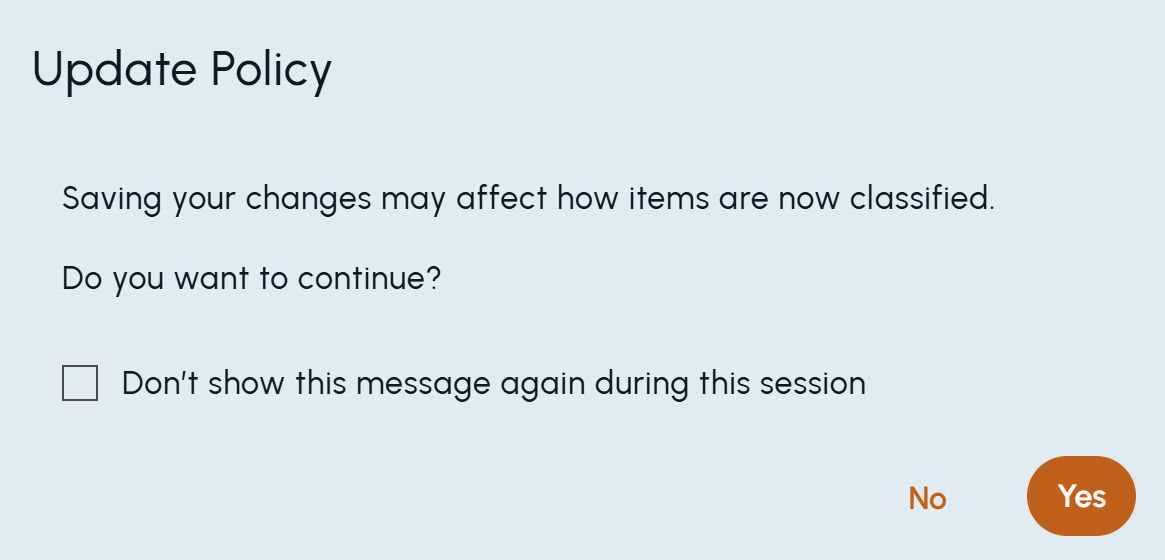
The copied policy gets created. However, sometimes if the following confirmation message appears, click Yes.
 |
|---|
Following details (located on the Policy Details page) are provided only for custom policies that are created by copying transparent policies:
-
Last updated information
-
Origin details which shows a version and a link to the transparent policy from which the copy is created.
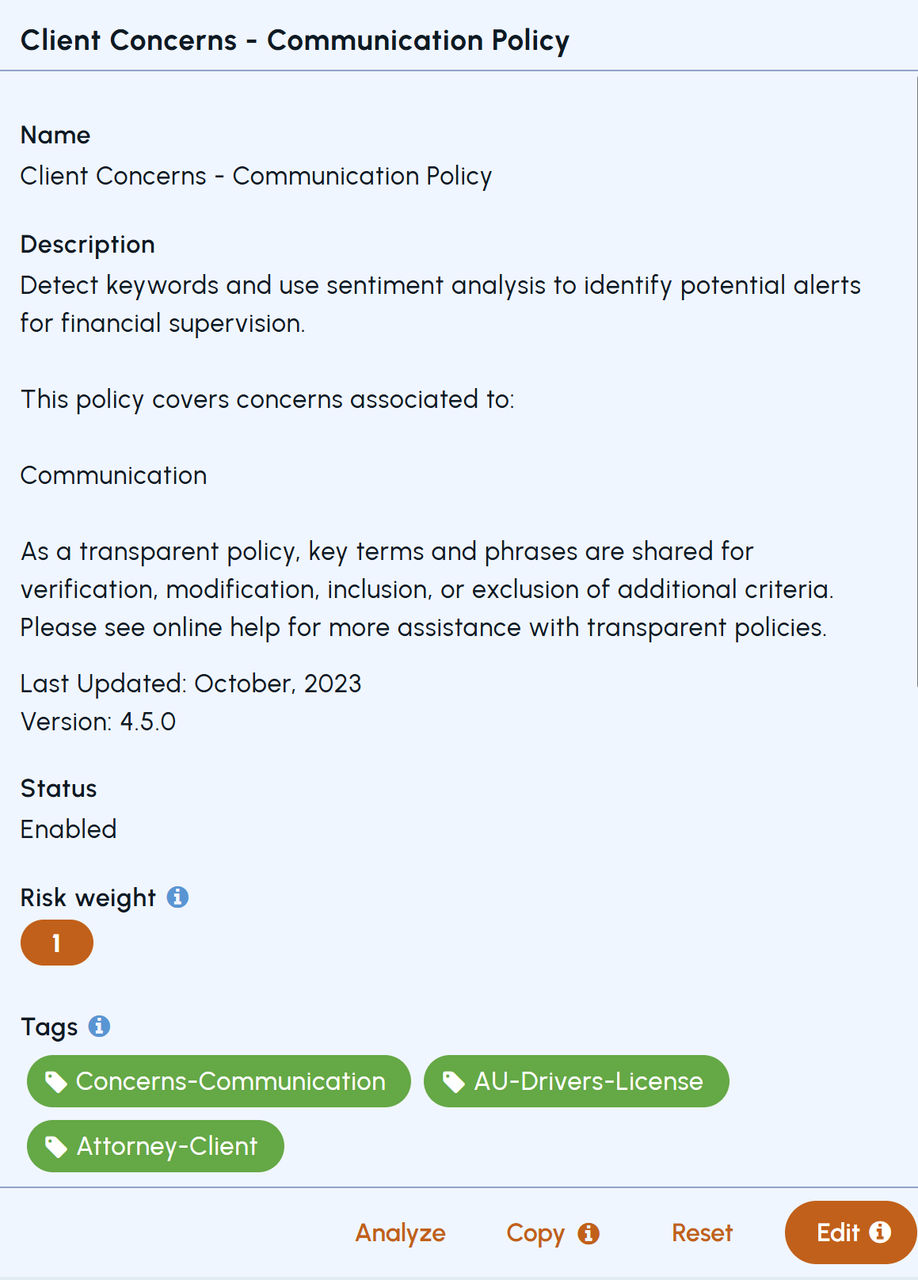
Origin policy information is useful if the original transparent policy logic is updated in subsequent releases. In such cases, this field will continue to show the version of transparent policy from which custom policy was created.
Related information