
Scheduling a task
The Schedule Configuration step of the CloudLink Task Manager Wizard lets you determine when and how often a task runs.
You can configure a CloudLink task to run at any of the following times:
-
Immediately
-
Later, either once or recurrently
-
Immediately and also later, either once or recurrently
To schedule a task
-
On the Schedule Configuration wizard page, in the Task Name box, enter a name for the task.
-
Select one of the following options:
-
To run the task immediately, and once only, select Run Immediately , and go to step 5.
-
To run the task later, either once or recurrently, select Enable Schedule.
-
To run the task immediately and also later, either once or recurrently, select Run Now and Schedule for Later.
-
-
In the Start Time boxes select the future date and time to run the task.
-
If you want a scheduled task to recur, do as follows:
-
Under Recurrence, select Repeat Every and then select the frequency with which to run the task.Note: A high frequency such as hourly may incur demands on your network bandwidth.
-
Then under Repeat, specify one the following:
No End Date The task continues to recur with no end date. Number of Times The task runs for the number of times that you select. Until The task recurs until the date and time you select. 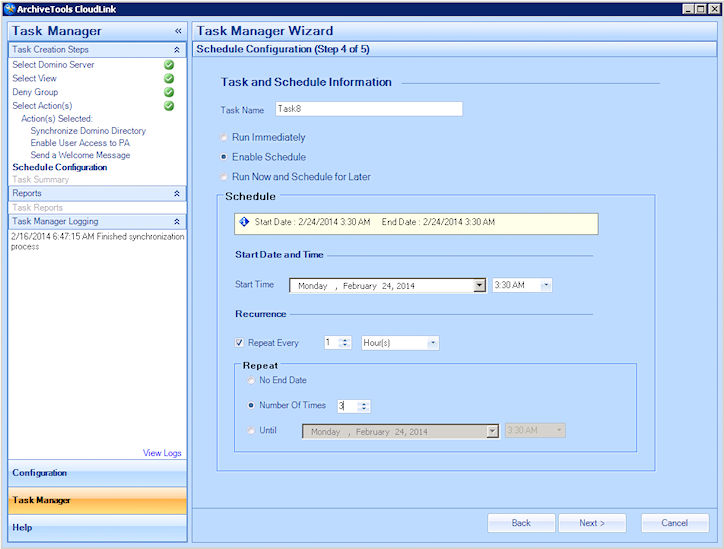
-
-
Click Next to continue to the final wizard step.
Related information