
Selecting the Domino view on which to perform the task
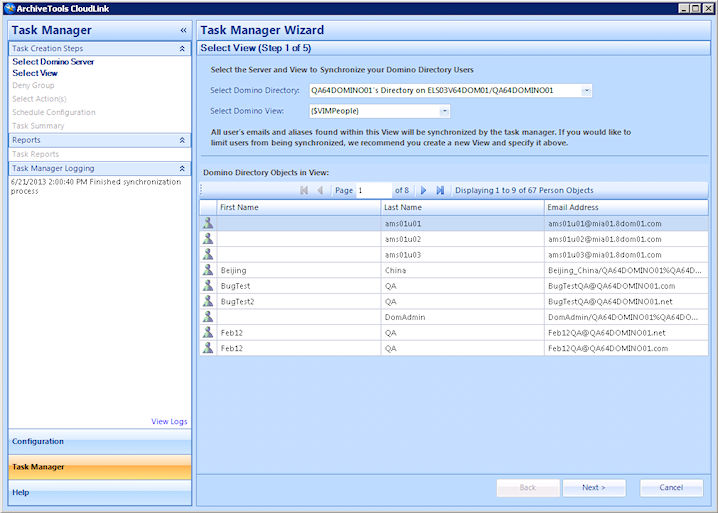
The Select View step of the Task Manager Wizard lets you select the Domino view that contains the users on which you want to perform the CloudLink task.
Note: The CloudLink task acts on all of the user accounts that are associated with the selected Domino view. To limit the users on which to perform a task you may want to create a suitable Domino view that contains only the required users, before you continue Note: For a Domino mailbox to synchronize to Arctera Insight Archiving, the person document Internet Address field must be populated with the user's primary SMTP address.
To select the Domino view on which to perform the task
-
On the Welcome to Task Manager Wizard page, click Start Task Manager Wizard.
-
On the Select View page, in the Select Domino Directory box, select the required Domino Directory from the drop-down list.
-
In the Select Domino View box, select the required Domino view from the drop-down list, which lists all the views for the selected Directory.
After a short delay, the Domino Directory Objects in View area loads a list of all the objects in the view that you selected.
-
Click Next to save your selections and continue.
Related information