
Viewing mail reassignment notifications and status reports
After performing the mail reassignment, the application notifies the user (who initiated the reassignment task) about the status of the mail reassignment task and the errors that occurred during reassignment. Email notifications are sent only for the batches that are completed.
To view a notification
-
On the Investigationstab, selectMy Mailbox>Mailbox.
-
Click Inbox to view the list of emails regarding mail reassignment batch statuses.
-
Search for and select the emails for which you want to see the mail reassignment statuses.Note: Perform advanced search or query search to get the expected items. SeePerforming Advanced Search and Query Search.
-
Click the email to view details in the preview pane in the right side of the page.
-
The Subject of the notification email shows the status of mail reassignment batch.
-
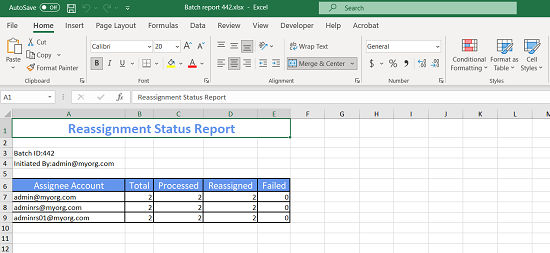
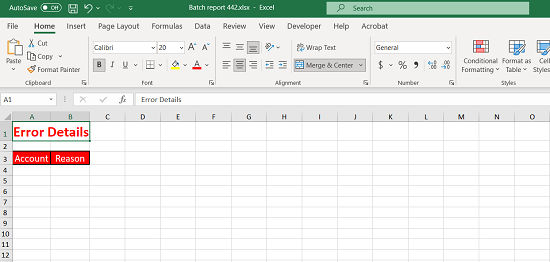
The Attachmentshows the link to download the batch status summary report. The report is in the Microsoft Excel format and includes the***Status Report***and the***Error Report*** sheets.
-
-
Click the link to download the report on your local computer.
A sample Status Report sheet is shown as:
A sample Error Report sheet is shown as below. It provides the reason of the failure or error occurred during email reassignment.
Related information