
Viewing collaboration messages
Users can view collaboration messages in PA only when the following conditions are met in Arctera Insight Management Console:
-
The Enable Collaboration View for Personal Archive service is enabled for customer/tenant.
-
Collaboration tools such as Microsoft Teams, Slack, or other supported platforms are integrated and their services are enabled for customer/tenant.
For any assistance about this, contact your system administrator.
To view collaboration messages
-
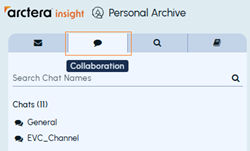
In the left pane, select the Collaboration tab.
-
In the chatroom list, select the chat you want to view.
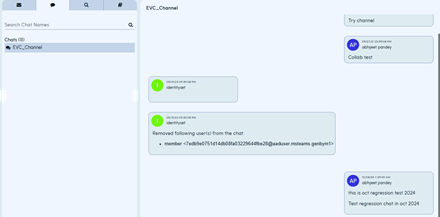
Chat messages are displayed in the right pane as shown in the sample image below.
-
If the chatroom list is extensive, enter keywords in the Search Chat Namesfield, and click theSearch icon to locate the required chatroom. Click it to view the messages.
Related information