
Analysis Dashboard
The Analysis Dashboard provides information on potentially sensitive files through different tabs as shown in the following table:
| Tab | Details for analyzed sensitive files |
|---|---|
| Overview | Displays a dashboard with the following visualizations: |
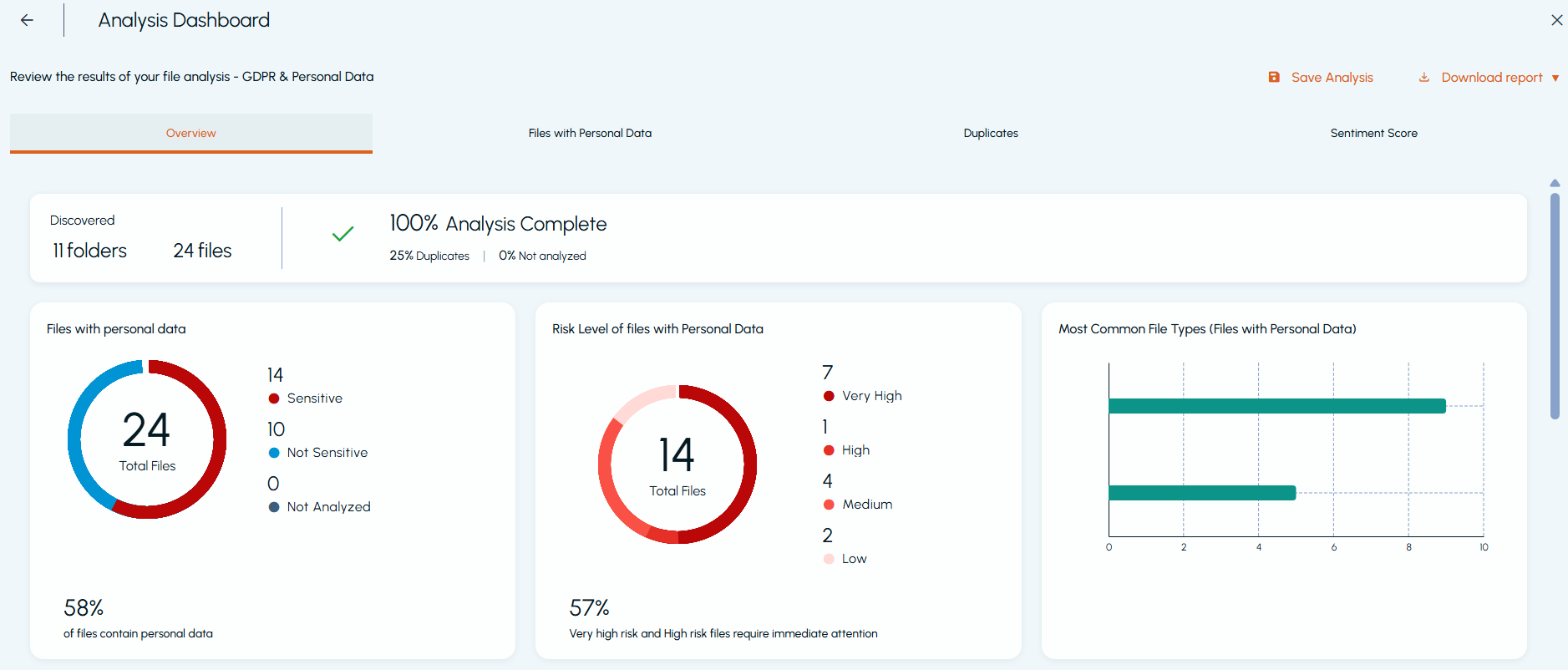
| - A donut chart showing the distribution of sensitive and non-sensitive files. | |
| - A donut chart showing the distribution of sensitive files by risk level, excluding No Risk files. | |
| - A bar chart showing the most common file extensions among sensitive files. | |
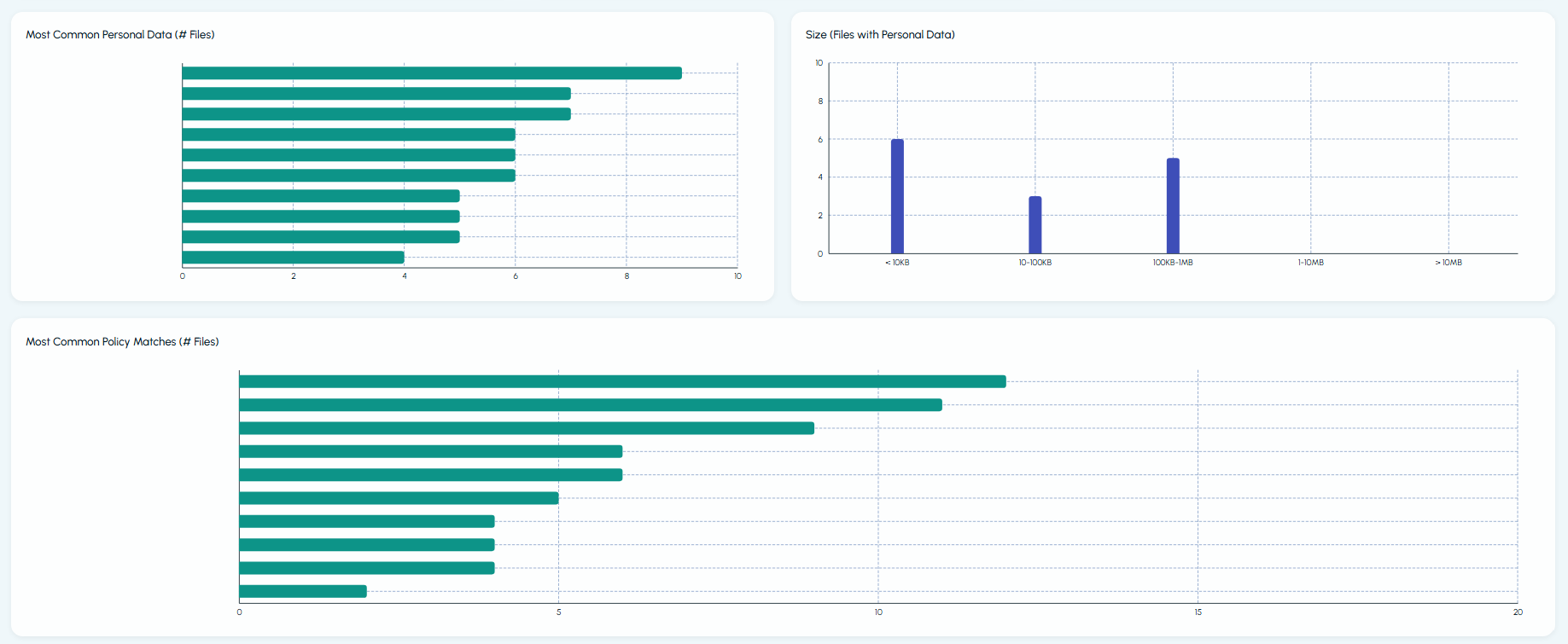
| - A bar chart showing the top 10 patterns or policy conditions based on the number of sensitive file hits. | |
| - A bar chart showing the last modified dates of sensitive files. | |
| - A bar chart showing the file size distribution of analyzed sensitive files. | |
| - A bar chart showing sentiment score distribution, with sentiment score buckets on the X-axis and the number of files on the Y-axis. | |
| Sensitive Files | Displays a list of sensitive files, including their individual risk levels and risk scores. |
| Duplicate Files | Displays a list of duplicate files, including their individual risk levels and risk scores. |
| Visualization | Displays a word cloud of entities, patterns, policy conditions, people, and locations based on the number of hits. |
| Sentiment Score | Displays a list of files with their sentiment scores. |
| Note: The Sentiment Score tab is available only if the Perform sentiment analysis option was selected when starting the analysis. |
The following images show the details displayed in the Overview tab of the Analyze page:
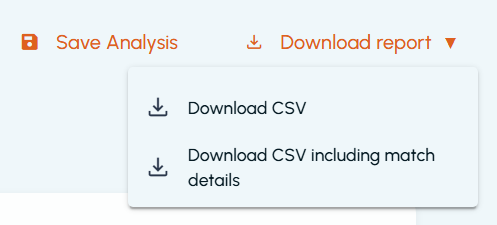
To preserve the results, click Save Analysis. To download the CSV without including match details, click Download report, and click Download CSV. To download including match details, click Download CSV including match details.
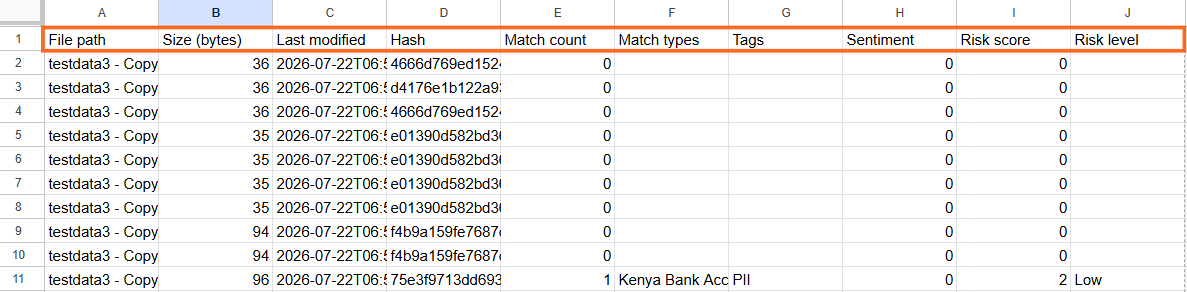
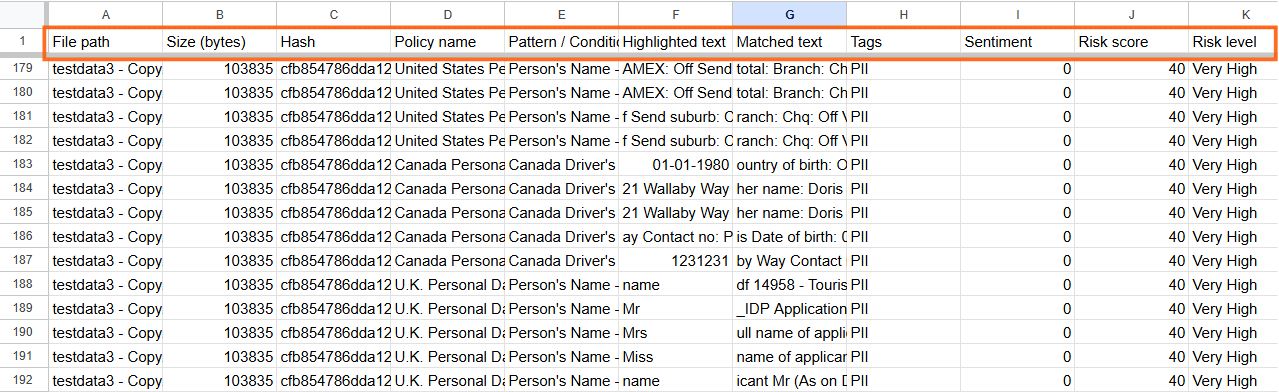
After downloading the CSV, check the download status from your browser and open the file. If you have not included match details, the CSV column headers will appear as shown in the following image:
If you have included match details, the CSV column headers will appear as shown in the following image:
Related information