
Transparent policies
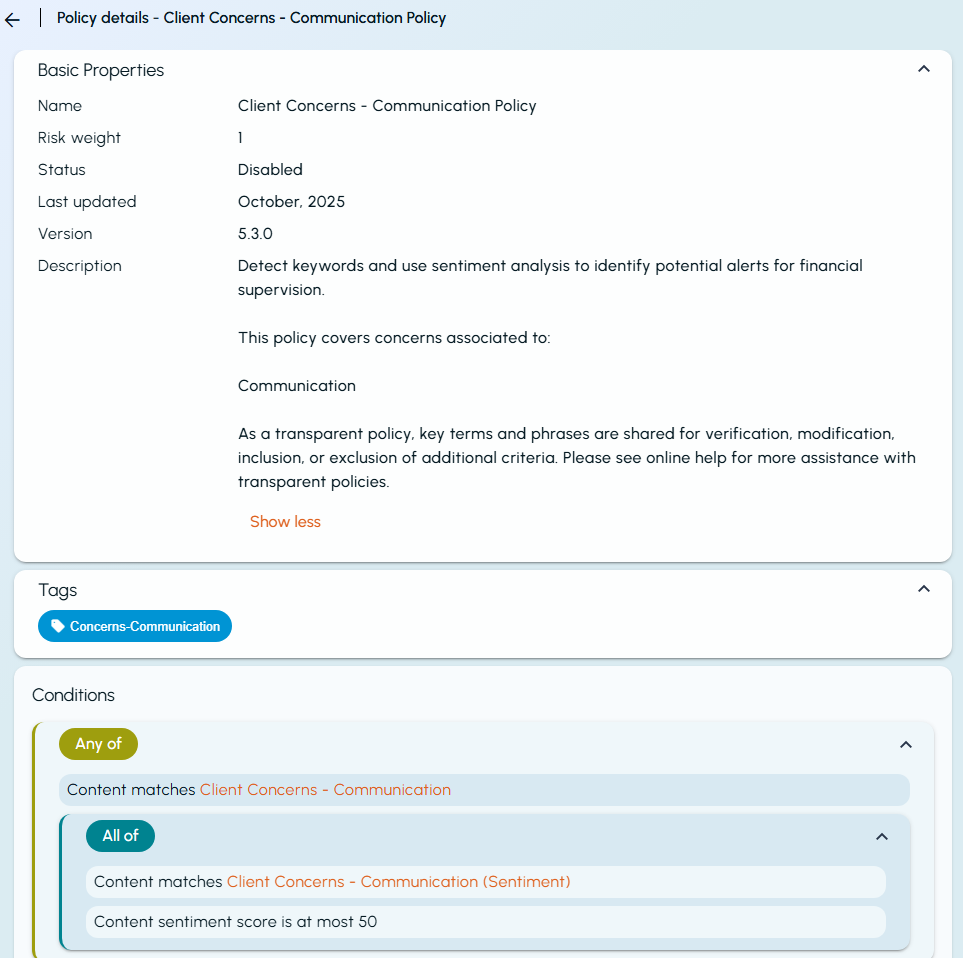
Arctera Classification introduces a new category of policies called Transparent Policies. These policies provide visibility into policy keywords and logic, allowing users to view the exact conditions that trigger a match during classification. This provides greater control and transparency over the classification process.
To customize a transparent policy, create a copy and edit it. You can use the editable copy to:
-
Add nested conditions with <Any of>, <None of>, or <All of> criteria.
-
Remove keywords that generate excessive false positives.
-
Add keywords to reduce false negatives.
-
Add new criteria, such as sentiment score, patterns, language, entities (if supported by the application), or regular expressions.
-
Modify criteria by specifying minimum or maximum counts, changing proximity settings, or defining string match and case match options.
For more information about editing copied policies, see Creating policies.
For built-in policies in the Transparent category, you can also view the following information about when the policy logic was last updated by Arctera Classification:
-
Last Updated – The month and year when the policy was last updated.
-
Version – The version of Arctera Classification in which the policy was last updated.
Related information