
Understanding Audit Logs
Every action performed on a resource is recorded in the audit log, providing a detailed history of changes. Each entry in the audit log captures essential information to help users track modifications, identify who made the changes, and understand the impact.
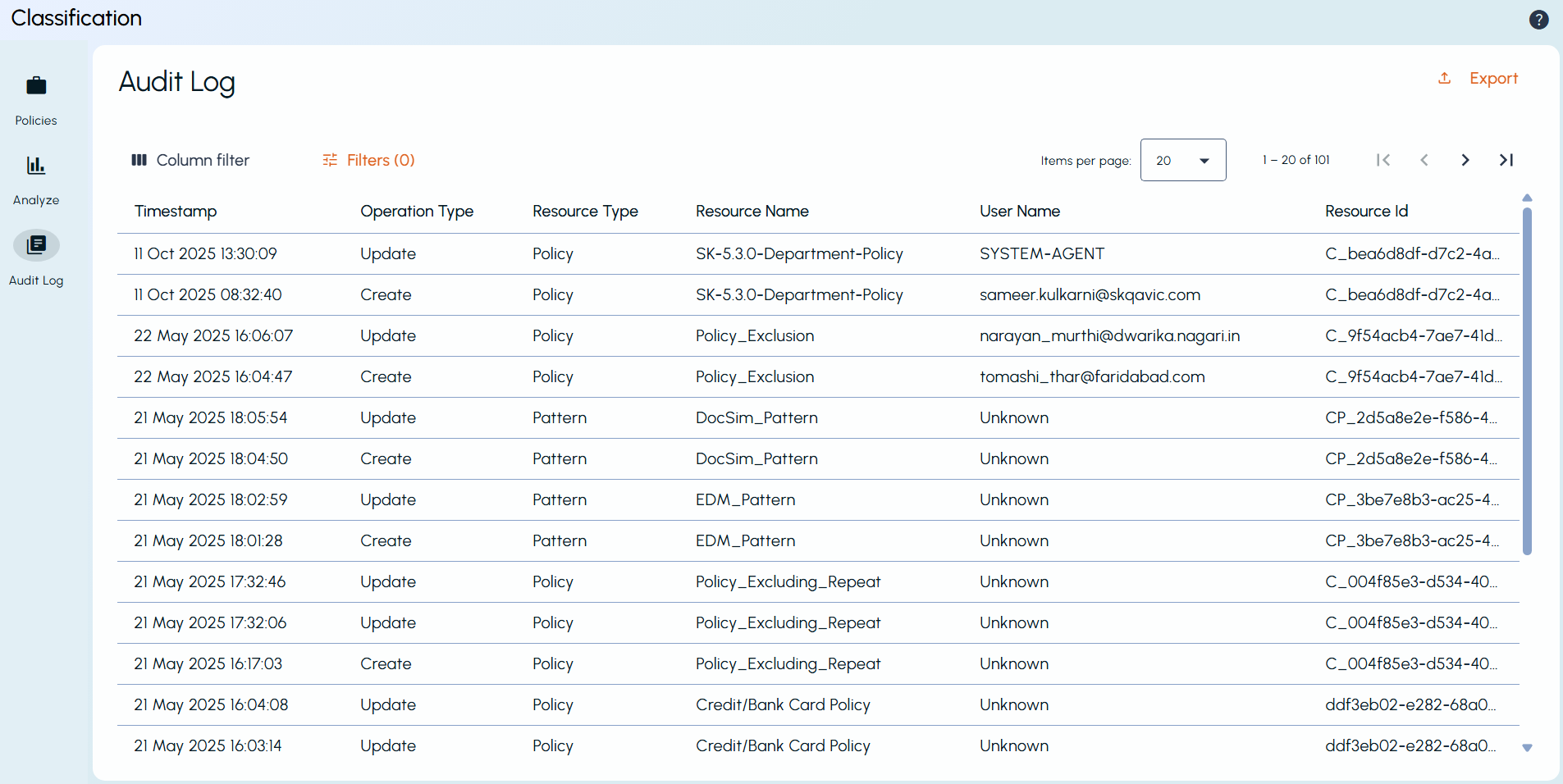
Each audit log entry includes the following:
-
Timestamp - The exact date and time when the change occurred.
-
Operation Type - Specifies whether the resource was Created, Updated, or Deleted.
-
Resource Type - Identifies the type of resource (Policy, Pattern, or Tag).
-
Resource Name - The name of the modified resource.
-
User Name - The user who performed the change.
-
Resource ID - A unique identifier for the resource.
You can sort the records by clicking the corresponding column headers. The list updates automatically based on the selected sort option. Use the pagination controls at the top right corner of the page to select the number of records per page. You can also navigate between pages using the arrow buttons next to the pagination controls.
Additionally, select the Actions menu (⋮) at the end of an item list entry to access the following options:
-
Copy Resource ID
-
View Changes (Diff View) - Highlights the differences between the previous and updated versions.For more information, see Using the Diff View.
Related information