
Overview
The Dashboard provides interactive visual modules that represent statistical and logical information about your activities.
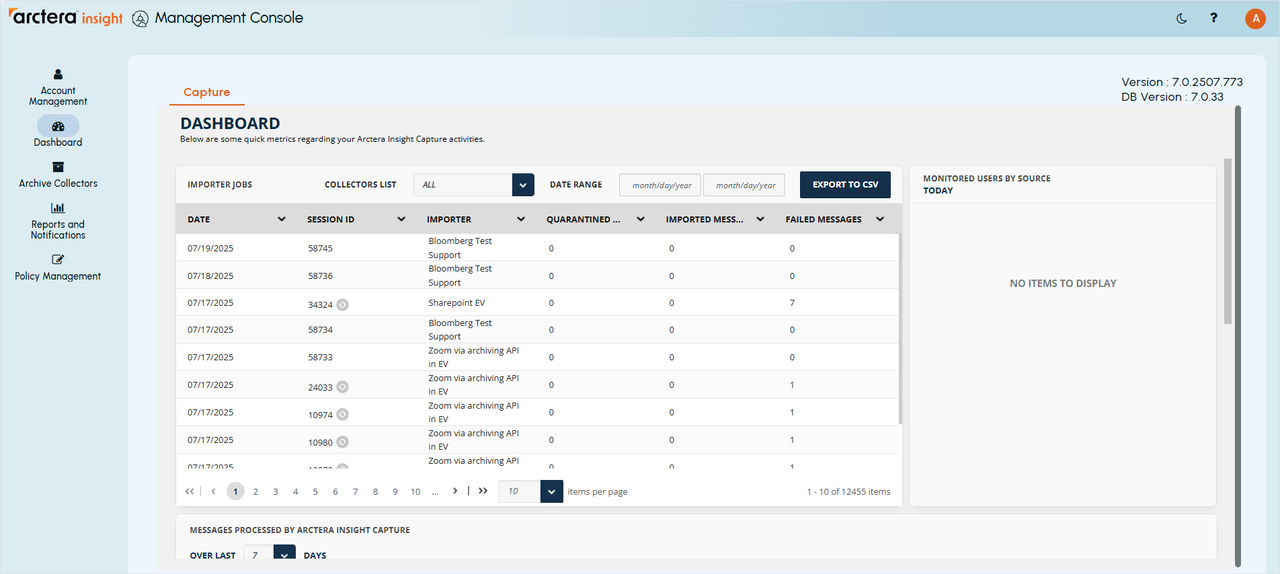
Dashboard consists of the following screens:
-
Importer Jobs
-
Monitored Users by Source
-
Messages Proceeded by Arctera Insight Capture
-
Number of Messages by Importer
You can view the details of each job, user, or messages by hovering the mouse over the job you want, and you will see the details of it.
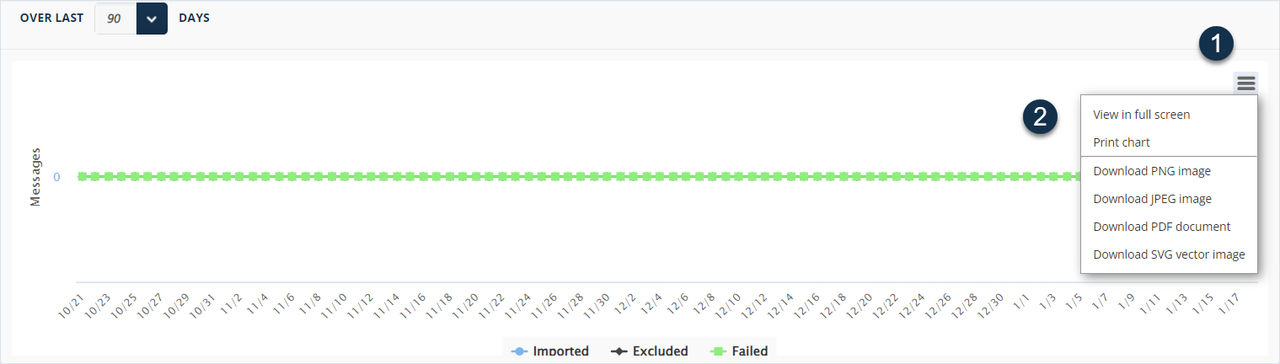
You can download the information included in the Messages Proceeded by Arctera Insight Capture and Number of Messages by Importer in PDF, JPG, PNG or SVG formats. A pop-up list of available formats opens.
Select the format and the dashboard of the messages or the number of messages by importers will be downloaded to your local PC.
Related information