
URLs Configuration
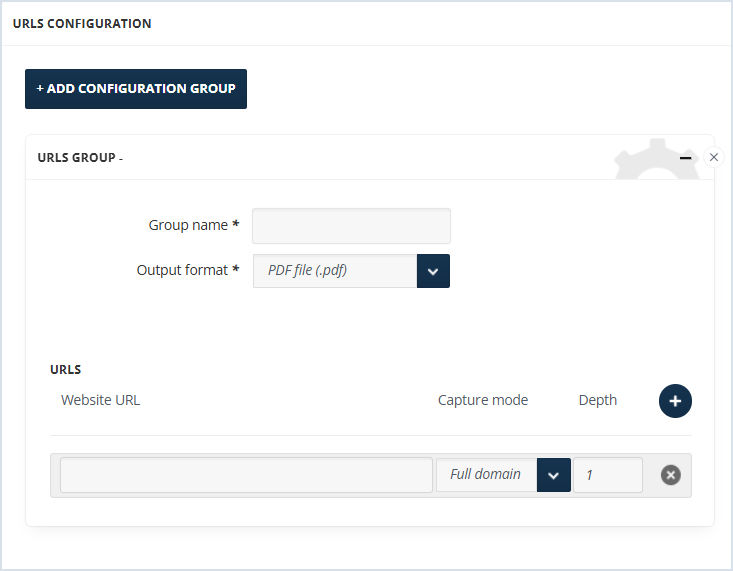
To configure URLs:
-
Click +Add Configuration Group.
-
Enter the Group Name for the output files of the captured URL.
-
Select the Output Format. It can be a PDF, PNG, or custom format file. For the custom format, contact our support at Arctera Support.
-
Enter the website URL from which the capture should start.
-
Choose the capture mode: Full Domain or One Page. One Page captures only the entered URL. Full Domain captures the mentioned URL and the pages that open from it with the same domain on the mentioned depth.
-
The depth is the level of the pages on the site map that should be captured. It includes the main website URL given in the configuration and the site pages below it on the site map. For Example, if the depth is 1, the Web Capture collector captures the filled in website URL and all the pages that open from that URL and have the same URL in their URLs.
Related information