
SMTP Target
If you choose a SMTP Target, Arctera Insight Capture will deliver the data to an SMTP server address you provide.
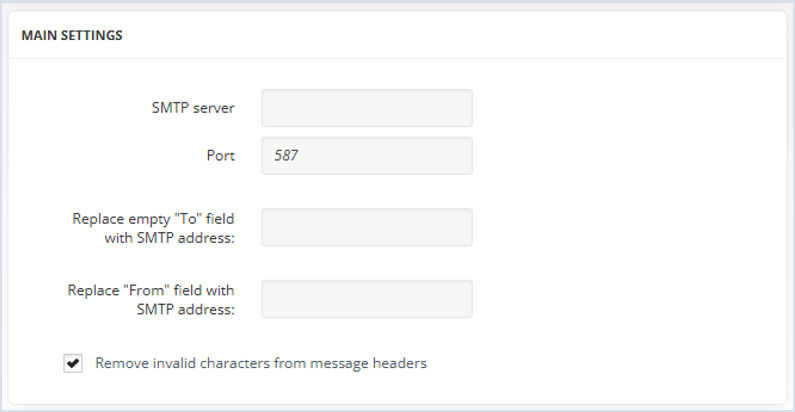
To configure Main Settings:
-
Specify the SMTP Server and Port fields.Note: The default is 587.
-
Enter an SMTP address for the Replace empty "To" field with SMTP address field. If needed, provide a fallback email address to be used when an outgoing message has an empty "To" field. This ensures the message is still processed and not rejected due to missing recipient data.
-
Enter a valid email address that will be used to replace the "From" address in outgoing emails.
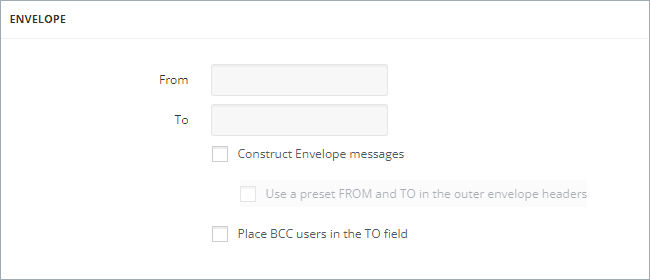
To configure the Envelope section:
-
Specify a destination email address in the To field and a return address in the From field.
-
Enable the Construct Envelope messages checkbox to envelope the original output message in a new message with the From and To email addresses set in the corresponding fields. The Use a preset FROM and TO in the outer envelope headers option adds the From and To email addresses of the original output message in the header of the envelope.Note: When enabling theConstruct Envelope Messagescheckbox, data in MS Exchange journal report format (the X-MS-journal header also be added) will be imported.
-
Enable Place BCC users in the TO field to add the email addresses from the BCC field of the original output message to the TO field.Note: When enabling thePlace BCC users in the TO fieldcheckbox, allBCCrecipients will be moved to theTOfield.
 Note: SMTP Target is not recommended for delivering messages to Exchange Online Mailboxes, due to various throttling policies set by Microsoft. Also, Exchange Online does not accept Journal Envelope messages which can result in loss of original message time stamps and other metadata.
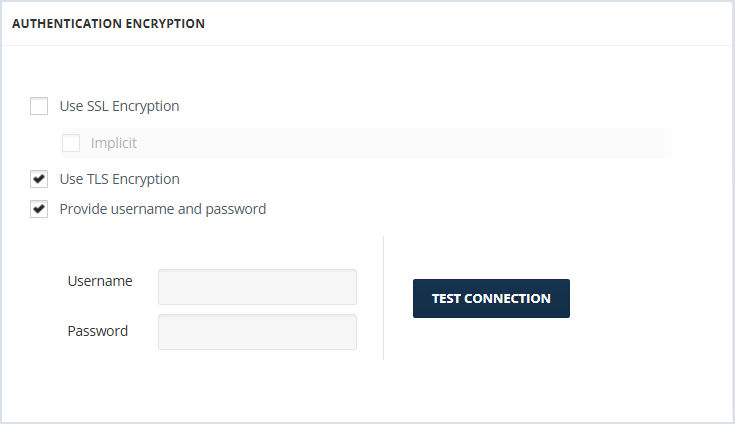
To configure Authentication Encryption:
-
Enable Use SSL encryption if you want to use SSL encryption. When enabled you can also check the Implicit checkbox to encrypt the entire FTP connection from the start of the session.
-
Enable Use TLS Encryption if you want to encrypt using TLS.
-
Enable Supply Username and password to enter username and password.Note: For Encryption,SSLandTLSencryption settings should match those of the target SMTP server. ClickTest Connectionto check the connection and to ensure that your settings are accurate.
Related information