
Overview
To view and extract detailed information about the insight Capture user activity and delivery failures:
-
Go to Reports and Notifications in the Navigation pane(1).
-
Expand Reports and click Insight Capture(2).
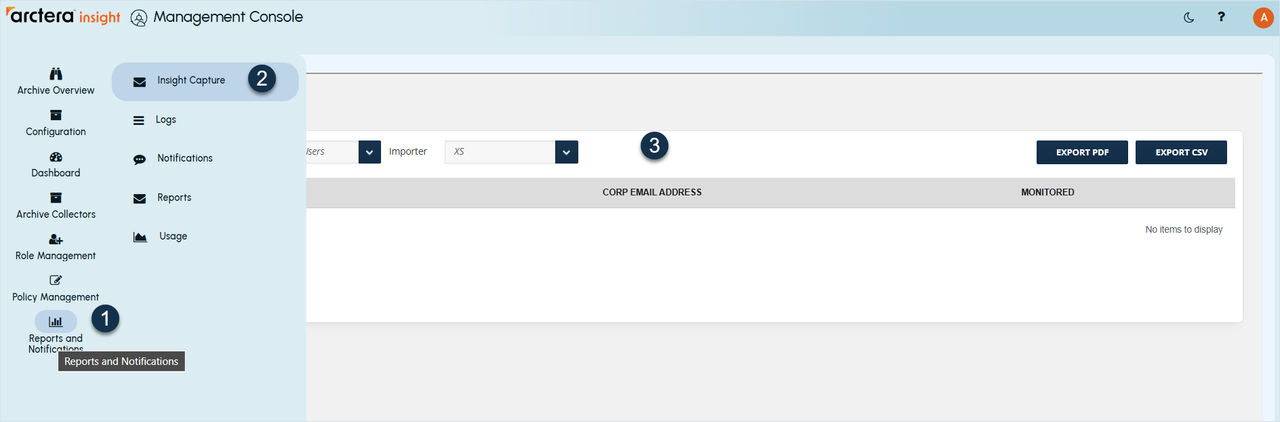
The following report types are available:
-
Audit: View Arctera Insight Capture user activity.
-
Monitored Users: View monitored users by Insight Capture.
-
Unprocessed Messages: View unprocessed messages.
-
Target Delivery Failure: View all failed attempts to deliver data.
-
Missing Attachment Failure: View all failed messages with missing attachments.
-
Missing Disclaimer Failure: View all failed messages with missing disclaimers.
-
Data Acquisition Failure: View all failed messages with failed data acquisitions.
Related information