
Viewing employee association history
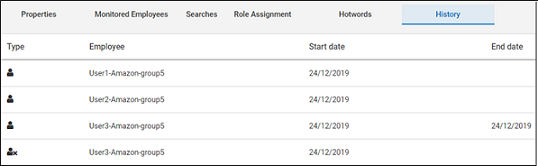
You can view the current and previous employees with their dates of commencement with and exit from the department.
To view the employee association history for a department
-
In the left navigation pane, click Departments.
-
Search for and select the department.Note: Alta Surveillance lists all departments. You can use the filtering options to search the required department. Options include filtering by department name, exception employees, and reviewers associated with the department.
-
Click History.
The application shows following type of log of employees associated with that department.
Related information