
Accepting search results
Insight Surveillance does not add the captured items to the review set until you accept the search results. If you did not select Automatically accept search results in the search type section, you must manually accept the results.
The user must have the Accept Searches permission to accept immediate and scheduled searches. The guaranteed sample searches get accepted automatically.
To accept a search result
-
In the left navigation pane, click Department.
-
Search for and select the department to view associated searches.Note: Insight Surveillance lists all departments. You can use the filtering options to search the required department. Options include filtering by department name, exception employees, and reviewers associated with the department.
-
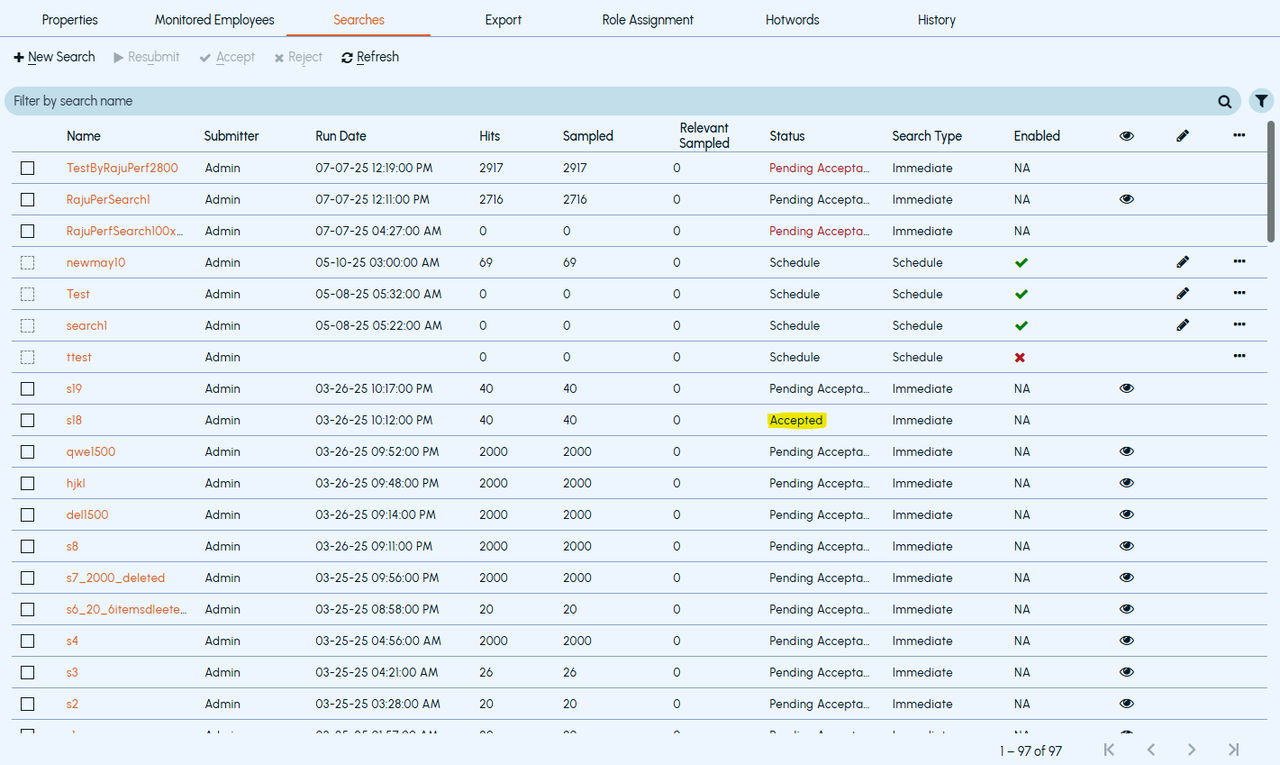
Click Searches , and then filter and select a search name you want to accept.Note: To set a filter criterion to find a search, click theFiltericon. Select the required filter parameters, and then clickApply Filters.
-
Click Accept.
The application displays Acceptedstate in theStatus column.
The Status column provides more details about the status depending on the user permissions.
 |
|---|
Related information