
Creating custom employee group
You must have the Manage Employeespermission to set up an employee group. By default, users with the application-levelApp User Admin role have this permission.
To create a custom employee group
-
In the left navigation pane, click Groups.
-
Click on the Employee Groups section and expand it.
-
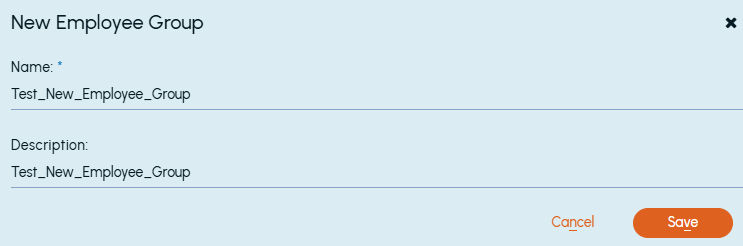
By default, the Generaltab is displayed. If not, select theGeneraltab. On the action bar of the tab, clickNew Custom Group. TheNew Employee Group dialog box appears.
-
Provide the following details:
Name Specify a name for the employee group. Description Specify a description for the employee group. -
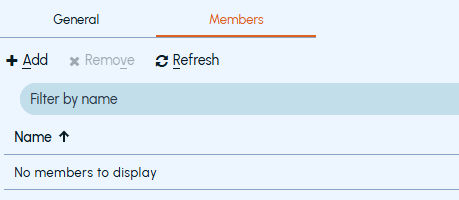
To add employees to the group manually, click the Members tab.
-
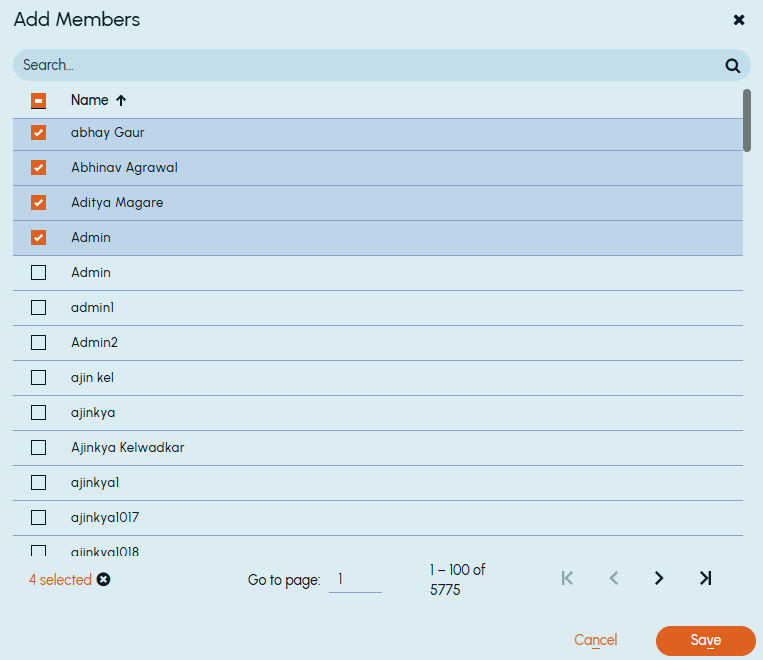
Click Add. Add Members window is displayed.
Select the employees from the list as shown in the following sample image:
 |
|---|
-
Click Save.
Related information