
Translating collaboration message for review
While reviewing collaboration messages, you may encounter non-English content. To address this, Insight Surveillance provides a Translate feature to help you convert non-English text into English. After reviewing the translated content, you can revert it to the original language.
If translation is not enabled for your user account, clicking the Translate button displays the following message:
This feature is not enabled by your administrator. To enable, please do so in Management Console.
To enable translation
-
Navigate to: Arctera Insight Management Console>Policy Management>Archive Options.
-
Scroll to Surveillance Translation.
-
Set the status to Enabled, and clickSave.
Notes:
1\. Text contained within images cannot be translated.
2\. Partial text translation is not supported in the translation feature for collaboration messages.
To translate collaboration message for review
-
In the left navigation pane, click Review.
-
Search for the message you want to translate.
Use Advanced FilterandFilters to narrow down your results.
-
On the Collaboration tab, select an individual message in the items grid.
The Preview,Comments, andHistory tabs appear to the right side of the selected message.
Note: If you select multiple messages, these tabs are hidden. Instead, you see options to apply review statuses to all the selected messages.
-
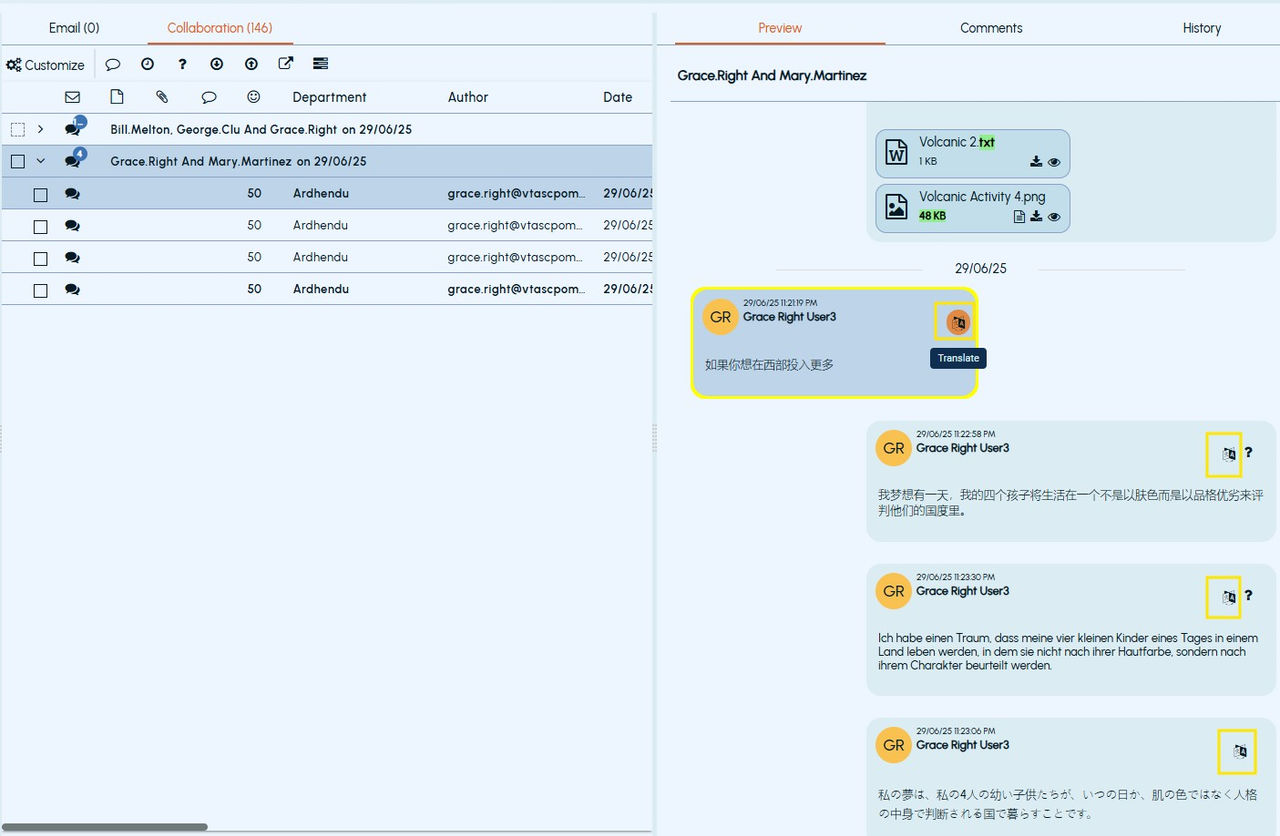
To translate the collaboration message content into English, click Translate as shown in the sample image below:
The Translatebutton changes toRevert after translation as shown in the sample image below:
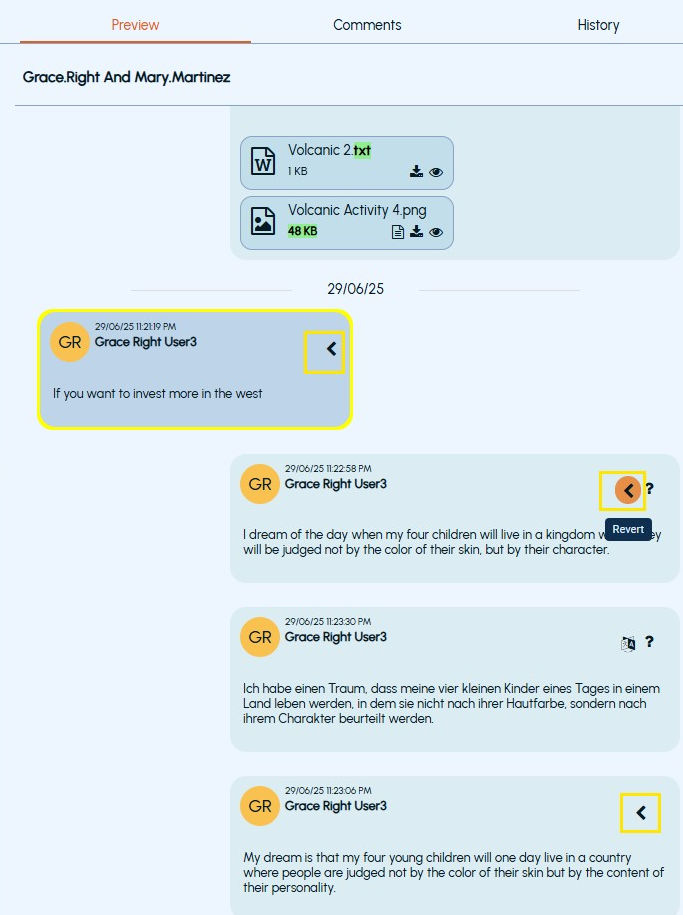
Click Revert to return to the original language, if required.
Related information