
Deleting emails
You can permanently delete emails from the search result if these are no longer required.
To delete emails from search result:
-
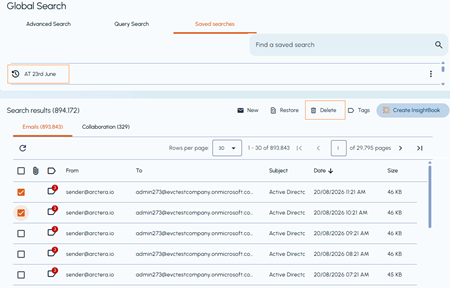
On the Search result pane, select one or more emails you want to delete.
-
On the toolbar provided on the Search result pane, and click Delete.
 A warning appears, informing you that the items will be permanently deleted and cannot be restored, and prompting you to confirm whether you want to continue.
-
Click Yes to permanently delete the saved searches. (To abort deletion, click No.)