
Keyword Filter
Keyword filter allows you to retrieve and refine the data by mentioned keywords and collect it in the specified target.
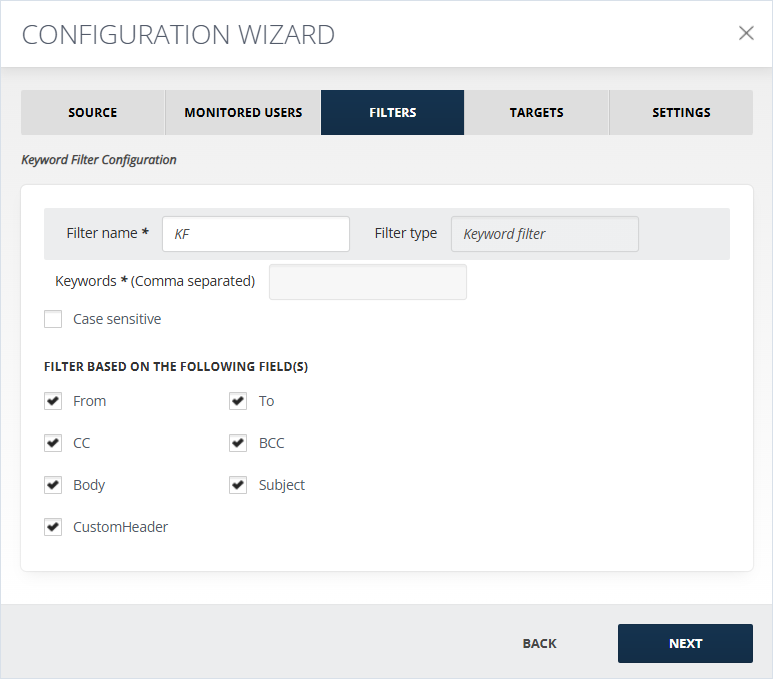
To configure the filter:
-
In the Keywords (Comma separated) field, the keywords, by which the data will be filtered, should be added. The keywords need to be separated by commas for the filtering to work. Keywords are searched for in the body of the message, as well as in its subject.
-
If Case Sensitive option is checked, only the words with the same case sensitivity as the input keyword will be filtered. E.g., if you input Direct, it will filter only messages with Direct in their subjects and/or bodies, the results with direct or DIRECT will not be filtered.
-
Filter can be done being based on the following field(s):
-
From
-
CC
-
Body
-
To
-
BCC
-
Subject
-
Custom Header
-
Related information