
SharePoint Activities
For SharePoint activities:
-
Activate Monitor all sites in case all SharePoint sites should be monitored. In this case, file upload and download options will be inactive.
-
Activate Monitor certain sites in case only certain SharePoint sites/sub-sites should be monitored.
-
Upload the CSV file that includes:
-
The site/sub-site URL which can be found by clicking the Copy button from the right-side opened Page Details window.
-
TRUE or FALSE options which will specify whether the sub-sites should or should not be monitored accordingly. If not specified, the default value will be FALSE, i.e., sub-sites will not be monitored.
-
-
In case you need to make changes in the CSV, download the already uploaded file, make the necessary changes, and upload it again.
The following activities can be captured:
-
Microfeed
-
Site page
-
Document library
-
Picture library
-
Custom listNote: If the file names contain the "#" and "%" symbols, they will not be downloaded.
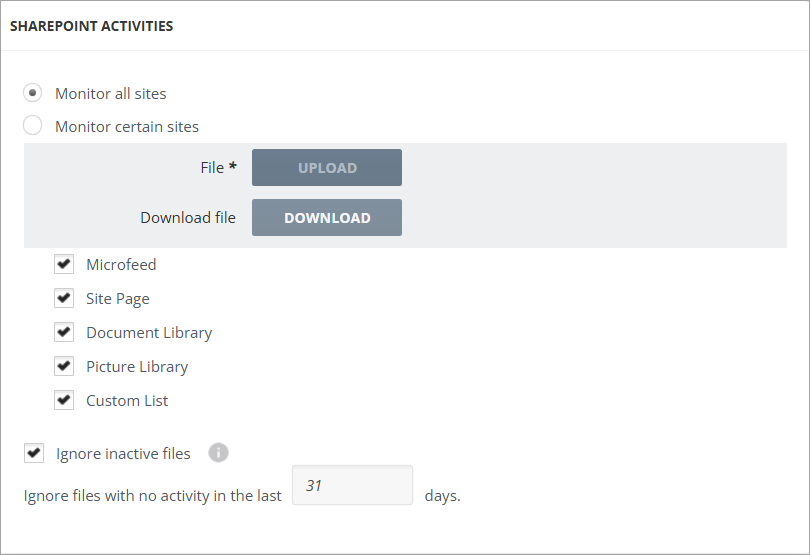
By enabling the Ignore inactive files checkbox and specifying the Ignore files with no activity in the last X days, only the files with their comments modified within the specified days will be captured.
Related information