
Meeting File Download Options
This section includes the following:
-
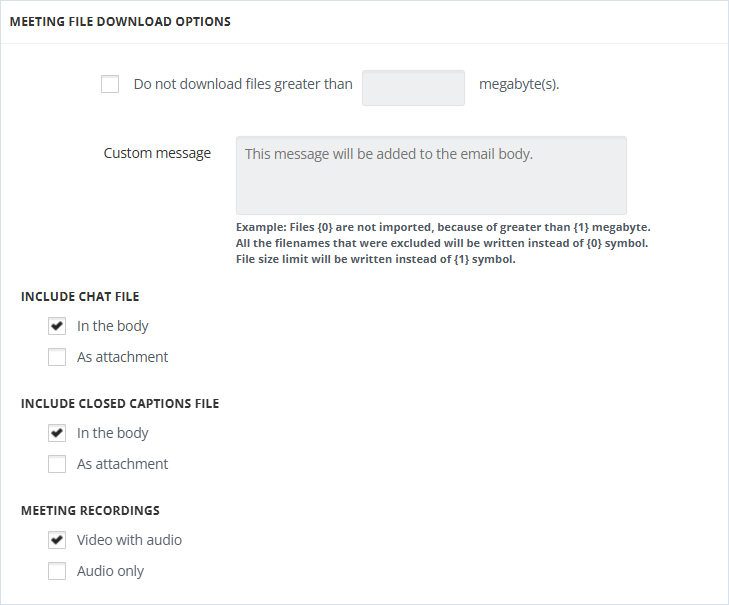
When Do not download files greater than X megabyte(s) is selected, the files, that are bigger than the filled-in number of megabytes, are not downloaded. In the Custom Message field, a text for those excluded files can be specified. For example: "Files {0} are not imported, because they are greater than {1) megabytes". {0} is used to add the name of the file and {1} is used to add the number of megabytes specified above.
-
The Include Chat File option specifies how the chat file is added to the imported message - in the body of the message or attached to the message as a separate file.
-
Include Closed Captions File option specifies how the closed captions are added to the imported message in the body of the message or attached to the message as a separate file.
-
Meeting Recordings option specifies whether video with audio or only audio is included in the imported message.
Related information