Source Configuration
For information on how to configure the following sections of the Source tab, see:
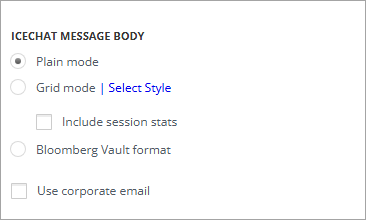
IceChat Message Body
This setting specifies how the imported message will be displayed in the target. There are the following options:
-
Plain mode - displays the interactions below each other in their basic form.
-
Grid mode - displays the information in a grid layout. You can change the color scheme by clicking the Select Style link. Enable Include session stats to include the session statistics in the message.
-
Bloomberg Vault format - when enabled, the imported messages are displayed in Bloomberg Vault format.
Enable Use corporate email to use the corporate email addresses of the participants in the generated messages.
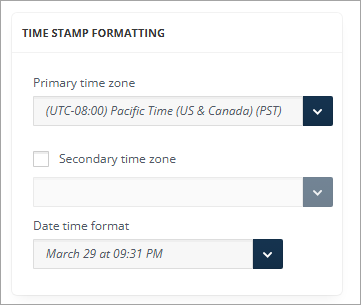
Time Stamp Formatting
In addition to the primary stamp, a second timestamp can be enabled with its time zone. From the drop-down menu, you can choose the time zone of the timestamp. The format of the timestamp in the output message can also be specified from the six options in the Date Time Format drop-down list.