
Time Stamp Filter
Time Stamp filter allows filtering messages that are already constructed and ready to be sent based on the timestamp.
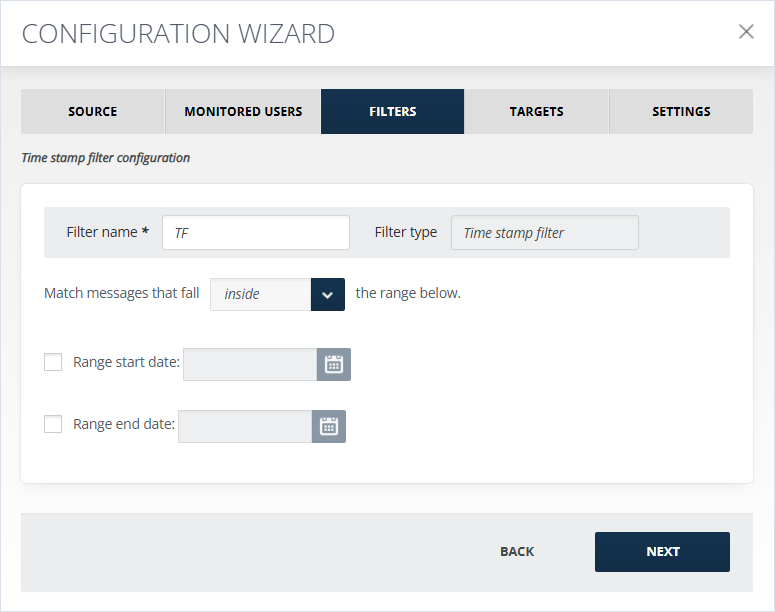
To configure the filter:
-
The Match messages that fall inside/outside the range below drop-down list allows you to include or exclude the specified period depending on the following cases:
-
In case both the Range start date and the Range end date are specified, and the inside option is selected from the drop-down list, then the content between that cut-off dates and the specified dates included, is filtered.
-
In case both the Range start date and the Range end date are specified, and the outside option is selected from the drop-down list, then the content before and after the specified dates, is filtered.
-
In case only the Range start date is specified, and the inside option is selected from the drop-down list, then the content after that specified start date and the specified start date included, is filtered.
-
In case only the Range start date is specified, and the outside option is selected from the drop-down list, then the content before that specified start date is filtered.
-
In case only the Range end date is specified, and the inside option is selected from the drop-down list, then the content before that specified end date and the specified end date included, is filtered.
-
In case only the Range end date is specified, and the outside option is selected from the drop-down list, then the content after that specified end date is filtered.
-
-
The Range start date checkbox allows specifying a start date.
-
The Range end date checkbox allows specifying an end date.
Related information