
Manually Maintain the List
This option allows manually managing users.
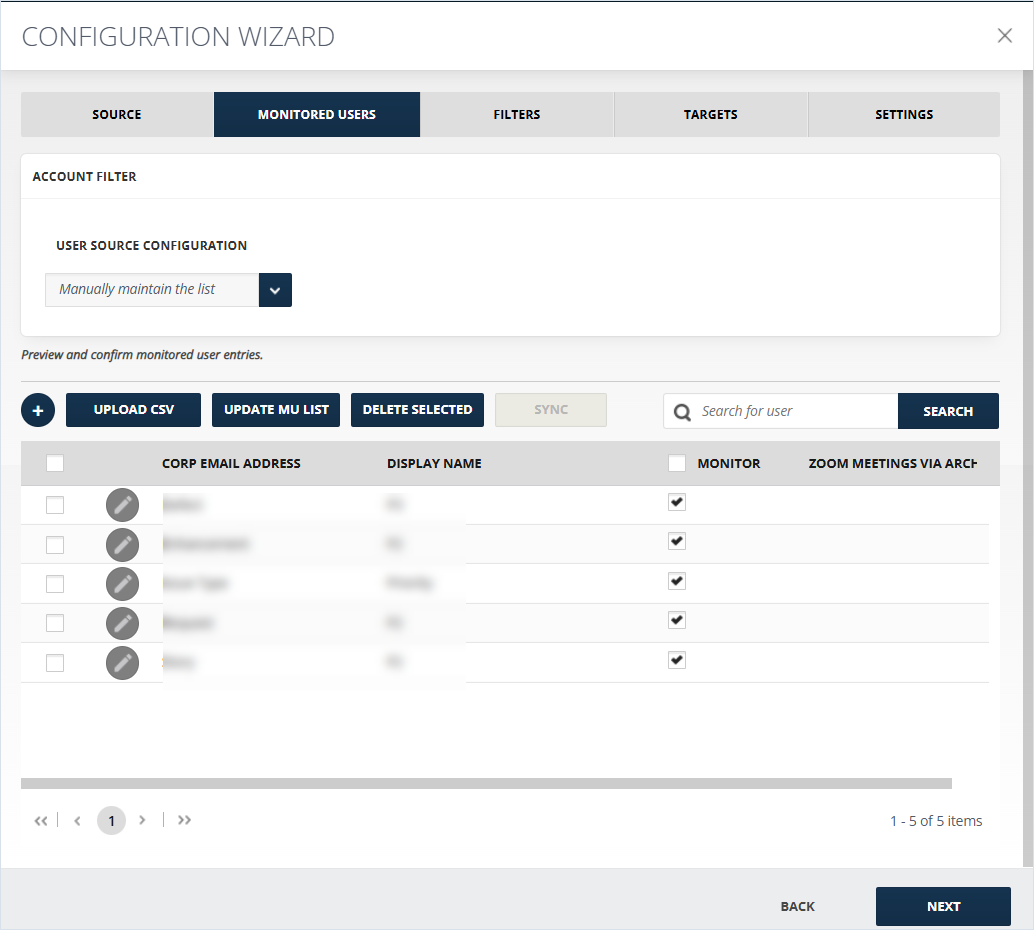
After selecting Manually maintain the list from User Source Configuration, the below list of monitored list will become active.
To configure Manually Maintain the List:
-
+(Add monitored user) opens a window where you can add details of a user to be monitored and fill in the required information. The same information can later be edited by clicking Edit Monitored User as described in point 8.
-
Corp Email Address is a required field for the corporate email address of the user.
-
Display Name is the name that will be displayed in the Monitored Users list.
-
Collector Email/ID is for the email or id of the user's Collector account.
-
If Monitor this user checked monitors the user and vice versa.
-
-
Upload CSV allows uploading a Monitored users' list as a CSV.
-
Update MU list allows updating the already selected list of monitored users.
-
Delete Selected removes selected users from the monitored list.
-
Sync allows synchronizing with the current data.
-
Search in the list of existing users.
-
Select the user and click Delete Selected. This will remove selected Monitored Users' list.
-
Edit the information about an existing user.
-
If Monitor is checked, the user is monitored, if not, the user is not monitored.
Related information