Attachments Configuration
nd add a --- layout: doc title: "Attachments Configuration" source_url: "https://www.veritas.com/content/support/en_US/doc/161740922-161863400-0/v161735038-161863400"
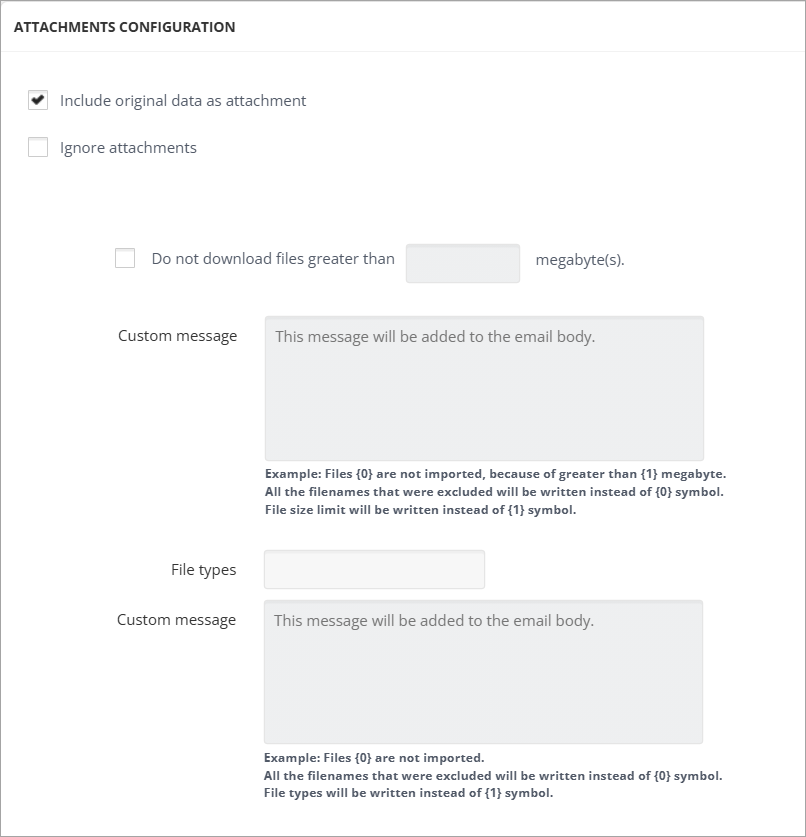
When the Ignore Attachments checkbox is checked, all the attachments are being excluded from the message which will enhance the collector performance. Each message will contain only information and the link of the excluded attachment.
-
Include original data as attachment: If checked, the message original data is attached to the output file.Note: Not applicable to the EV Folder target.
-
When Do not download files greater than X megabyte(s) is selected, the files bigger than the filled-in number of megabytes are not downloaded. In the Custom Message field, a text for those excluded files can be specified. For example, "Files {0} are not imported, because they are greater than {1} megabytes". {0} is used to add the name of the file and {1} is used to add the number of megabytes specified above.
-
In the File Types field, the types of files that should not be downloaded can be specified in the following format: e.g., .txt | .xml. The vertical bar is used to separate the file types.