
Advanced Configuration Options
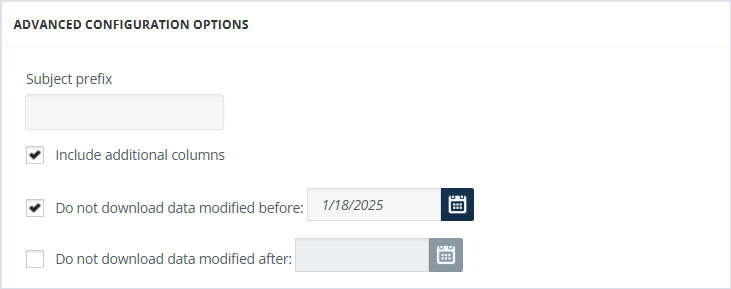
To configure advanced options:
-
Specify the Subject Prefix in the subject line of imported emails. This is useful for organizing imported data, i.e., when multiple sources share a common target.Note: Not applicable to the EV Folder target.
-
Enable Include additional columns to include more columns in the output message.
-
Specify Do not download data modified before and Do not download data modified after to allow cutting off data outside the set date range. If the before date is set to 08/17/2023 and the after date is set to 08/25/2023, only the data between these two dates will be downloaded. Data outside that range will be ignored. Note that both options can be used independently as well.
Related information