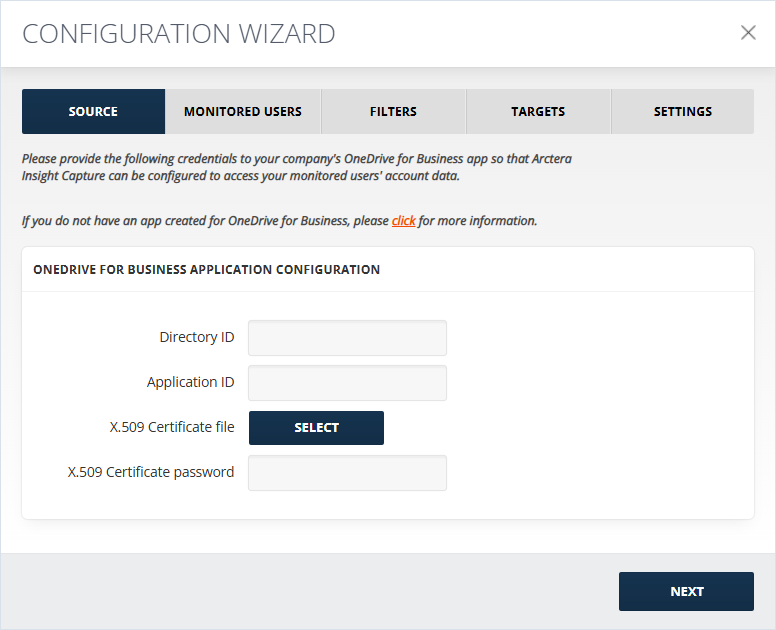
Source Configuration
To configure the source:
-
Add Application ID from the Entra ID Directory > App Registrations > \<your app name\> section.
-
Select the X.509 Certificate file.
-
Enter the X.509 Certificate password. The Certificate thumbprint field will be auto populated in case the collector was previously configured by uploading a certificate.
-
After clicking Next, a pop-up window should appear where you can provide the O365 Global Admin user credentials (note that usually the pop-up is being blocked by the browser, so pay attention to the top right corner of the browser if the popup is not appearing). In the next window, click Accept to grant the permissions.