
XML Filter
XML filter allows filtering through XML source data with tags and their specific values.
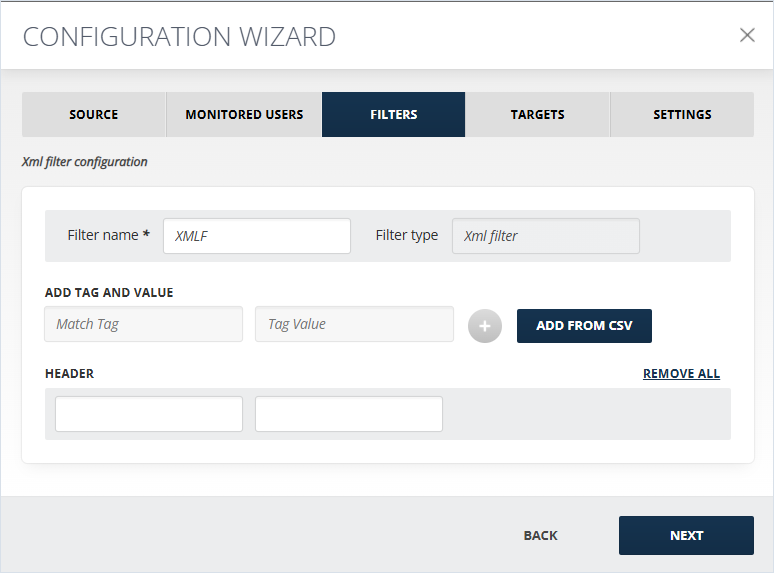
To configure the filter:
-
In the Add Tag and Value field, an XML tag and corresponding to it value should be added. They will be searched for in the body of the message from XML Source and when matched, will be sent to the assigned target. You can add more than one XML tag and value. After adding one, click the activated Plus button.
-
If you do not want to input each tag and its value manually, upload a CSV file that includes tags and their values. Click Add from CSV, browse for the necessary file and upload it.
-
If the added tag and value are matched with a message, that message is sent to the corresponding target. In the Header section you can add a specific text to be added in the message header for facilitating future filtering. For example, you can add tags that match by country and if the tag is matched, the header can be "MessageOriginCountry - USA".Note: Only one header can be added to a single filter, so for each country, in this case, a separate filter needs to be created.
This filter works only with XML sources:
-
Bloomberg
-
CellTrust
-
Symphony
-
XSLT/XML
-
IceChat
-
Pivot
-
UBS
Related information