
Reporting & Message Tracking
The following section of the Importer Settings refers to email reports, which may be used to deliver statistical information (also viewable on the Dashboard) via email.
Reports are different from collector to collector, based on the activities that can be captured from them.
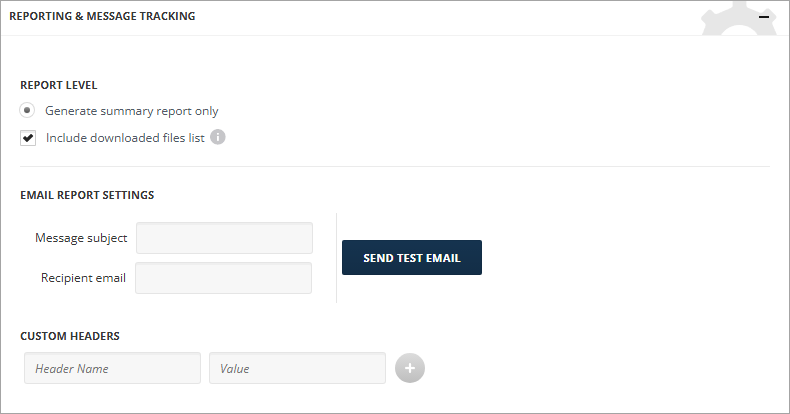
To configure the section:
-
For Report Level, Generate Summary Report Only reports include Source Statistics and Message Statistics. Source Statistics includes the number of unprocessed, quarantined, failed, and imported sources. Message Statistics includes the number of unprocessed, failed, successful, excluded, and ignored messages.Note: Detailed reports are longer and take more time to read. Reports exceeding 5 MB are shortened.
-
Select Include downloaded files list to include the names of the files that the collector processes during each run in the summary report, regardless of whether the run succeeds or fails. This option is selected by default.Note: This option applies only to file-based collectors that download source files (for example, EML, Bloomberg, and Audio/Video). It does not apply to API-based collectors that do not download source files.If a run processes 100 files or fewer, the file names are listed in the report message body. If a run processes more than 100 files, the file names are included as a
.txtattachment instead. -
Enter Message subject for the report message.
-
Enter Recipient email address for delivering reports.
-
For Custom Headers, enter Header Name and Value.