
Viewing archived emails
You can view any email that is listed in your Arctera Personal Archive archived folders.
To view archived emails
-
Do any of the following:
-
If your Arctera Personal Archive page layout has two horizontal panes, select a email in the email list to view the email details in the lower pane.
-
You can then click Previous orNext on the toolbar to view the adjacent emails.
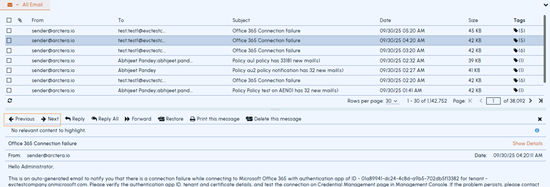
You can change the Arctera Personal Archive page layout from the Settings menu.
-
To display a email in a new tab, double-click the email in the email list, or right-click the email and click Open.
Related information