
Creating custom roles
Custom roles are user-defined roles that provide a customizable set of permissions when built-in roles do not meet specific requirements. You can create custom roles and configure their permissions as needed. You can also update, rename, or delete them.
To create a custom role:
-
In the left navigation pane, click Role Management>Administration Roles
-
In the Custom Roles section, click the plus icon.
-
In the blank text box, enter a unique name for this role, and click Save
-
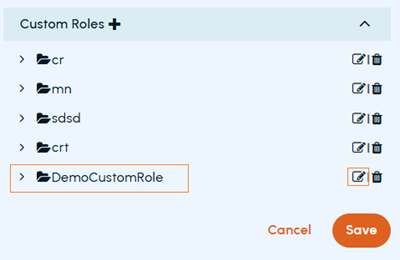
To rename the custom role, click the Edit icon in the corresponding row.
-
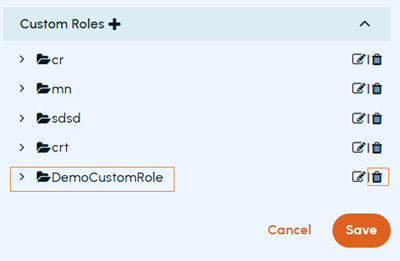
To delete the custom role, click the Delete icon in the corresponding row.
-
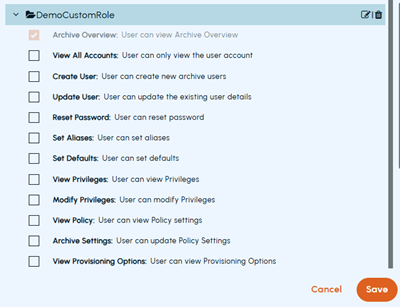
To configure permissions to the custom role, expand the custom role to view available permissions. Select the check box next to the permissions you want to add for this custom role, and click Save
Related information