
Enabling or disabling retention notifications
Only users with the System Administrator role can enable or disable retention batch notification setting.
To enable or disable retention batch notifications:
-
In the left navigation pane, select Reports and Notifications>Notifications
-
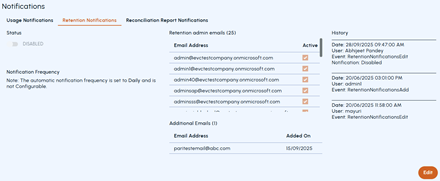
Select the Retention Notifications tab, and click Edit
-
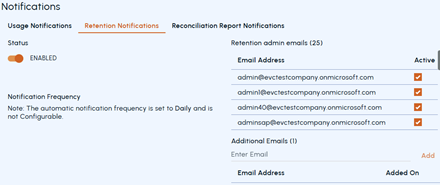
Under Status , slide the switch to the right to enable, or to the left to disable retention batch notification setting.
-
Click Save See Adding or excluding email addresses for retention notifications.
Related information