
Viewing existing roles
To view existing roles:
-
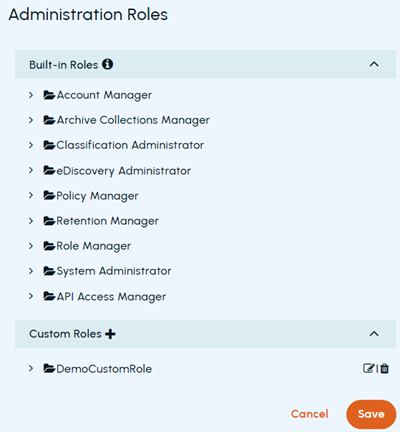
In the left navigation pane, select Role Management>Administration roles
-
To view details of built-in roles, expand the Built-in Roles section. Click the required role to expand. The associated permissions are shown as selected.
-
To view details of customized roles, expand the Custom Roles section. Click the required role to expand. The associated permissions are shown as selected.
Related information